

TL;DR: Framer Templates Worth Starting From
Templates aren't shortcuts to mediocrity; they're starting points that save 70% of the build time. Pick by category (AI, agency, e-commerce, health, blog, brand guidelines) and customize hard
For SaaS and AI launches, multi-layout templates like Zaply or Agar give you scroll effects, breakpoints, and CMS out of the box, so a marketing site can go live the same week you brief it
Agency, portfolio, and case-study templates are the fastest way to reposition your own brand. Sites built on a Framer setup tend to outrank generic page builders within months
Custom every pixel that signals your brand; keep the boring parts (forms, footers, blog templates) standard. That's where templates earn their place against bespoke design work
If you're unsure which template fits your business, run a tight discovery sprint first. The right template is shaped by the offer and audience, not the visuals on a preview page
The Best Framer Templates For Different Categories
The Best Artificial Intelligence Framer Templates
1. Agar - Best Artificial Intelligence Framer Template
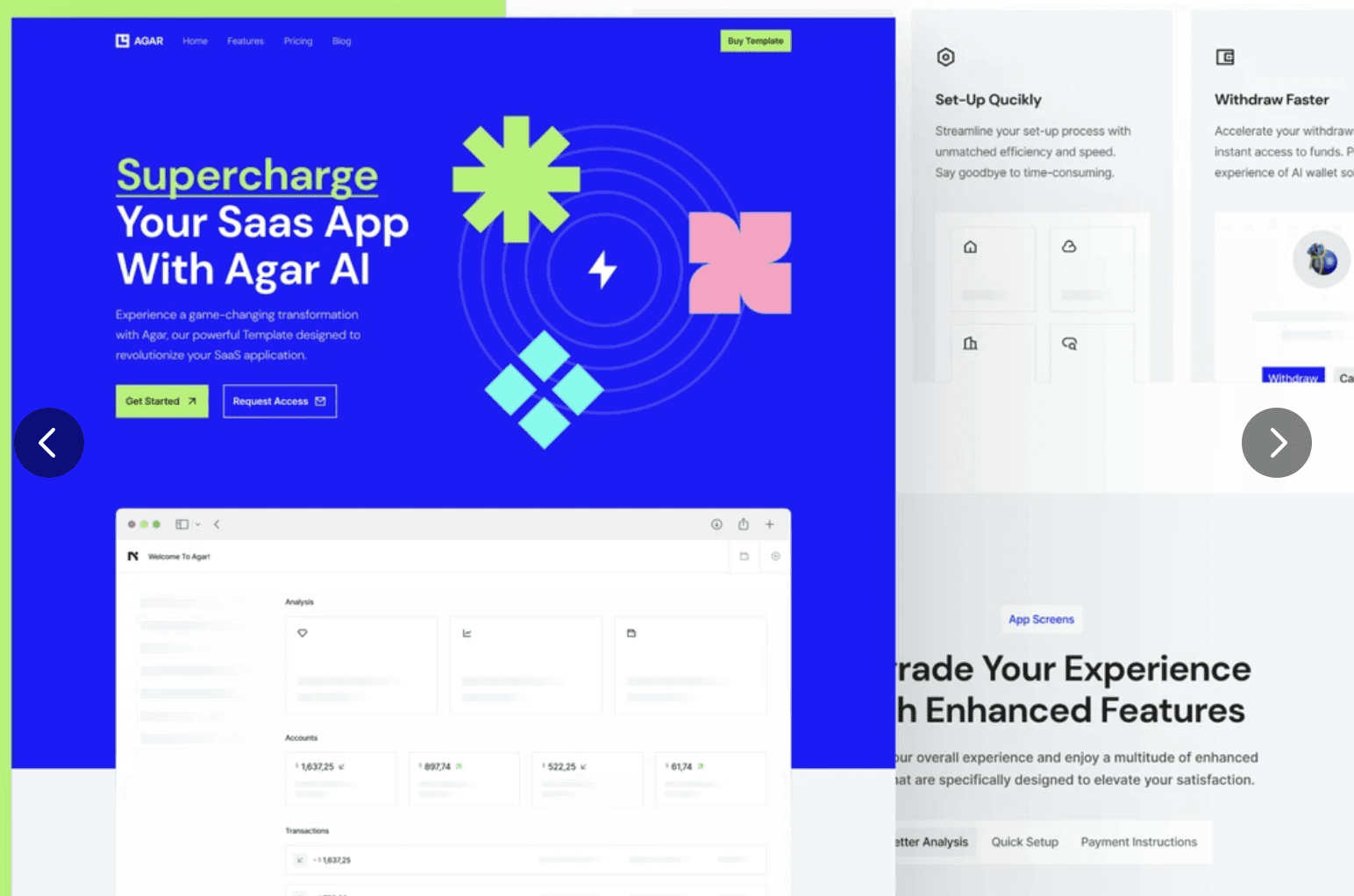
Agar is a cutting-edge AI website template designed to unleash the potential of artificial intelligence. With its visually impressive design and fully operational features, Agar is perfect for building AI applications such as Image Generating Apps, AI Chat Bots, or AI Research. Create custom, adaptive web experiences that captivate audiences across all devices using Agar.
2. TrendBlend - The Best AI Framer Templates for Branding
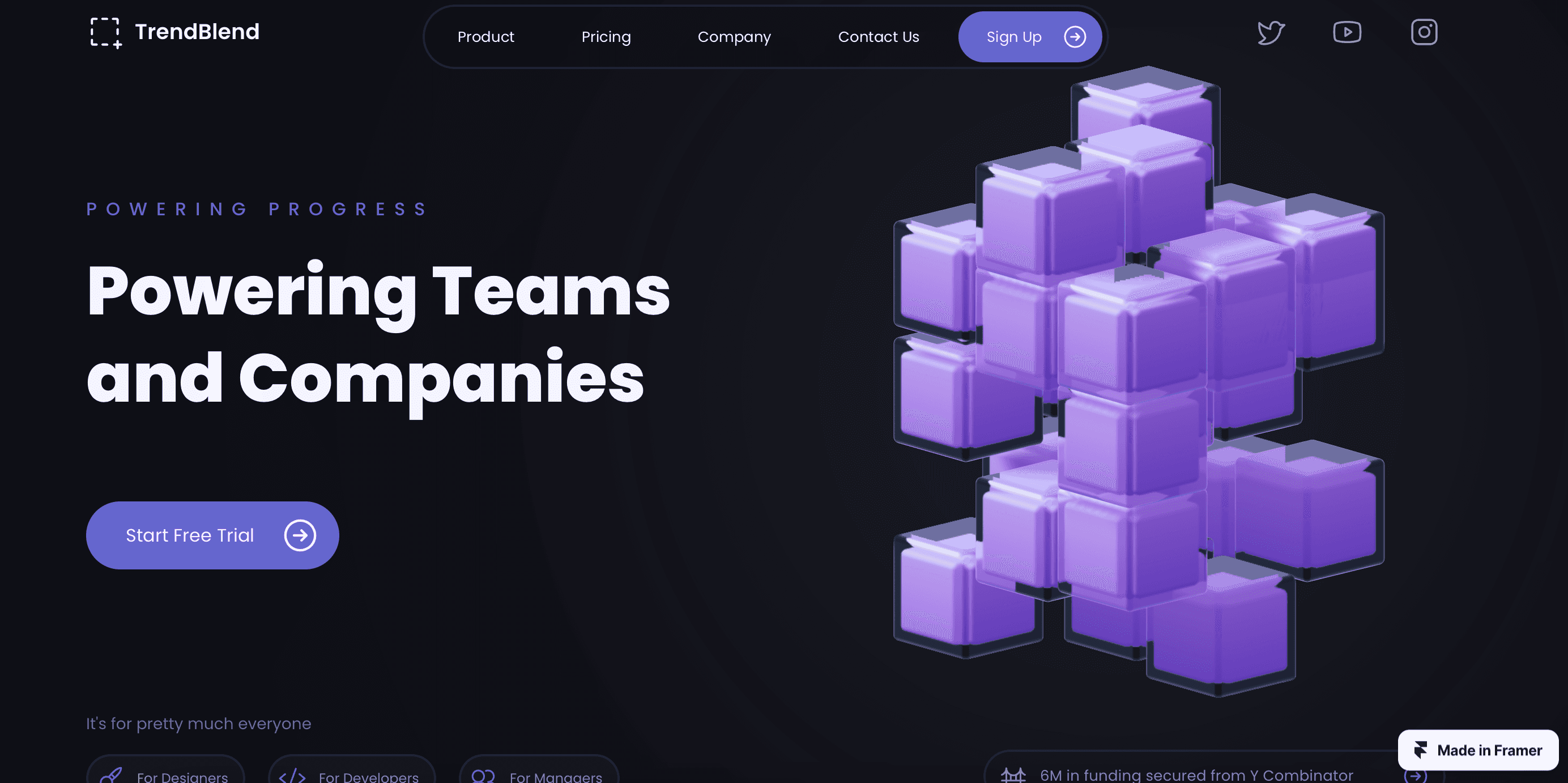
TrendBlend is a versatile AI website template that seamlessly blends modern aesthetics with advanced functionality. It is ideal for AI-related businesses, startups, or agencies seeking to establish a strong online presence. TrendBlend offers a range of features and customization options, allowing you to build an impressive AI website that stands out from the competition.
3. Zaply - Best Multi Layout Saas Framer Template
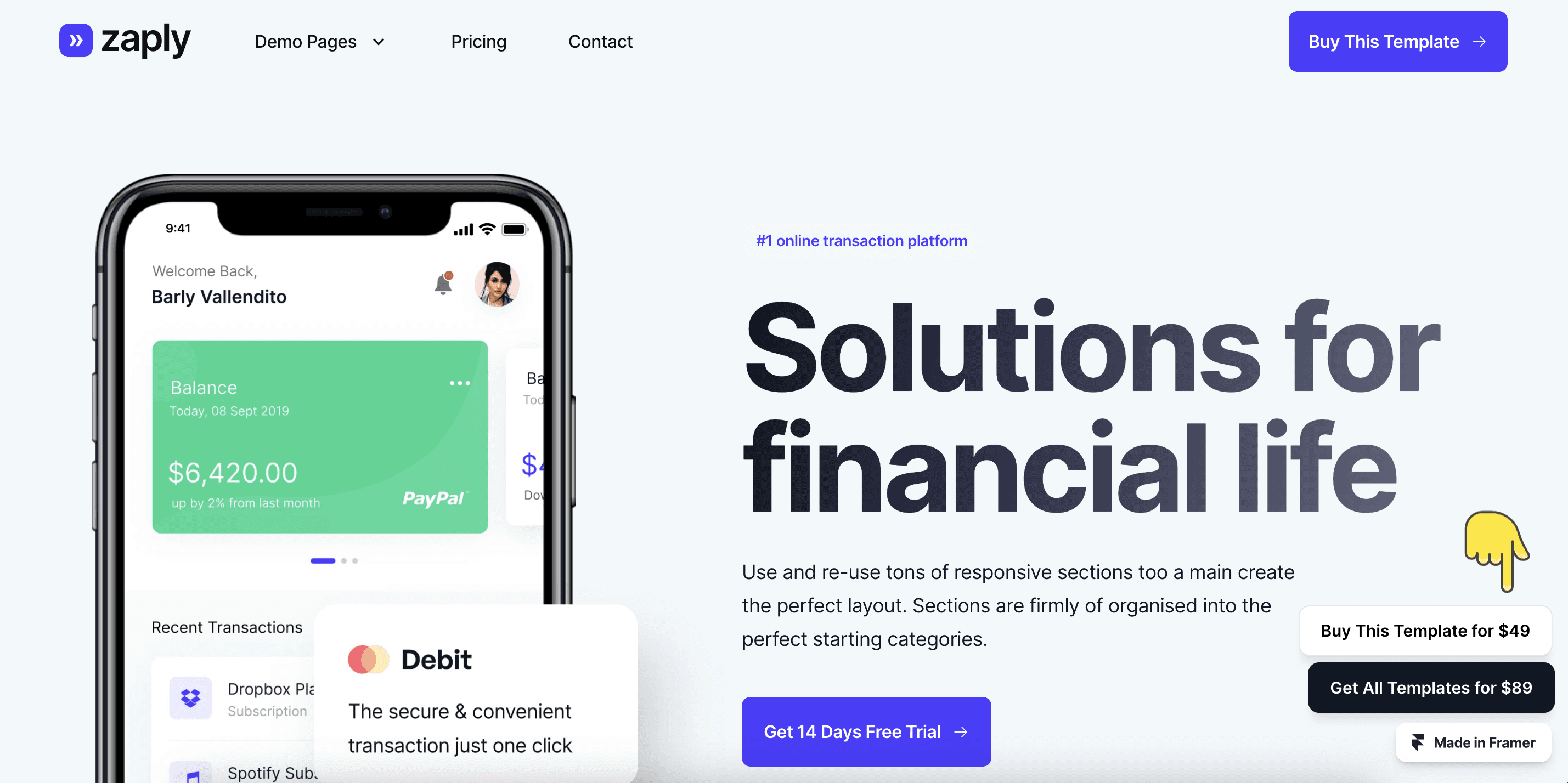
Introducing Zaply, the ultimate Framer SaaS template designed to elevate your online presence. With its bold and minimal aesthetic, Zaply offers multiple layouts and homepage variations to suit your unique business needs. This template is fully optimized for performance, ensuring a stunning website that captivates your audience. Witness the zenith of performance optimization as Zaply delivers seamless interactions and swift navigations, providing an immersive user experience. Launch an awe-inspiring website with ease using Zaply's ingenious architecture and features such as scroll effects, text styles, breakpoints, and a Content Management System (CMS). Step into the limelight and illuminate your online existence with Zaply, the epitome of modern design.
Book a free consulting call with Goodspeed
The Best Framer Agency Template
1. Lawyer - Best Framer Agency Template
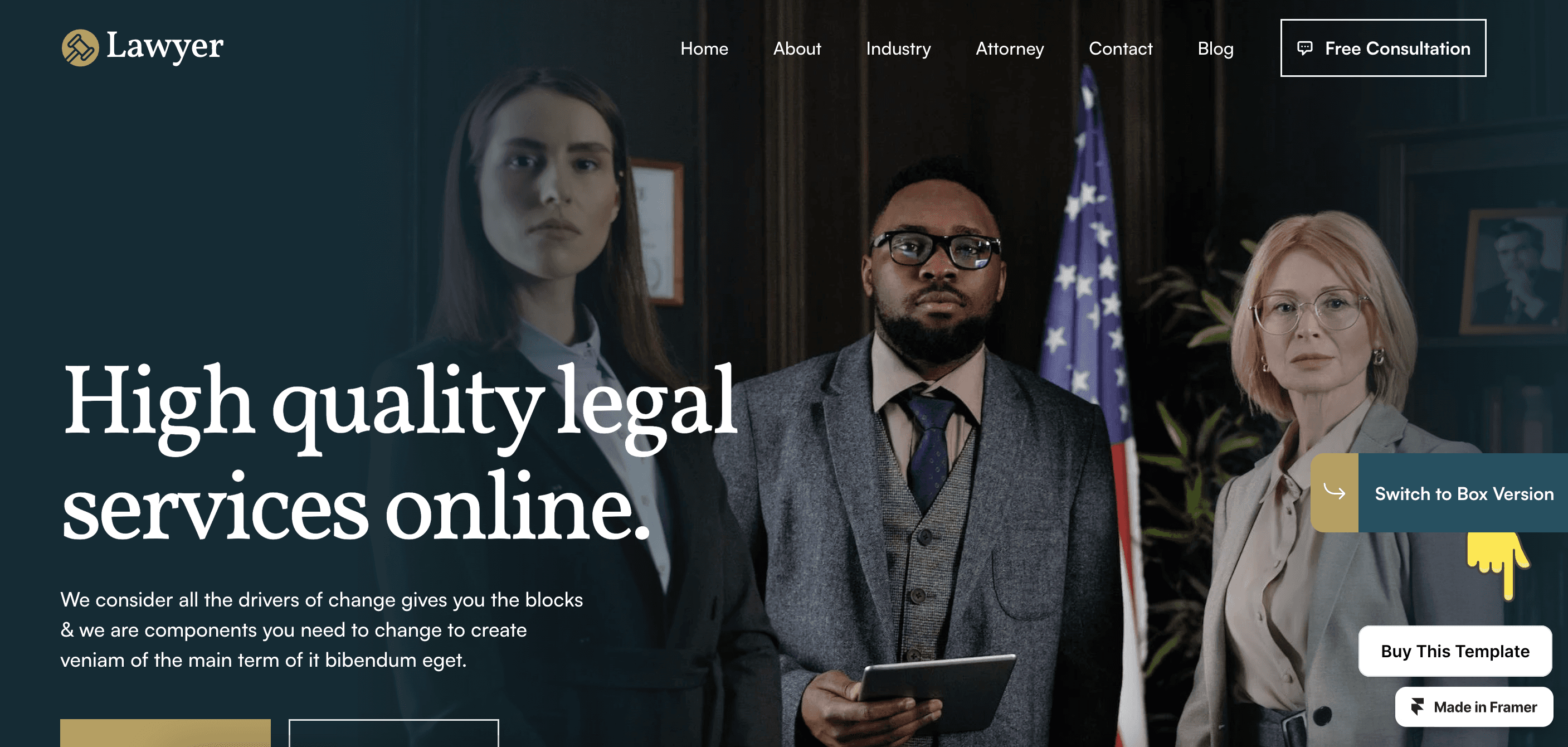
The Lawyer template is designed specifically for law firms and legal professionals. It offers a clean and professional layout to showcase your legal services and expertise. With its responsive design and easy editing capabilities, you can customize the template to suit your needs.
2. CRN Law Firm - Best Law Firm Template
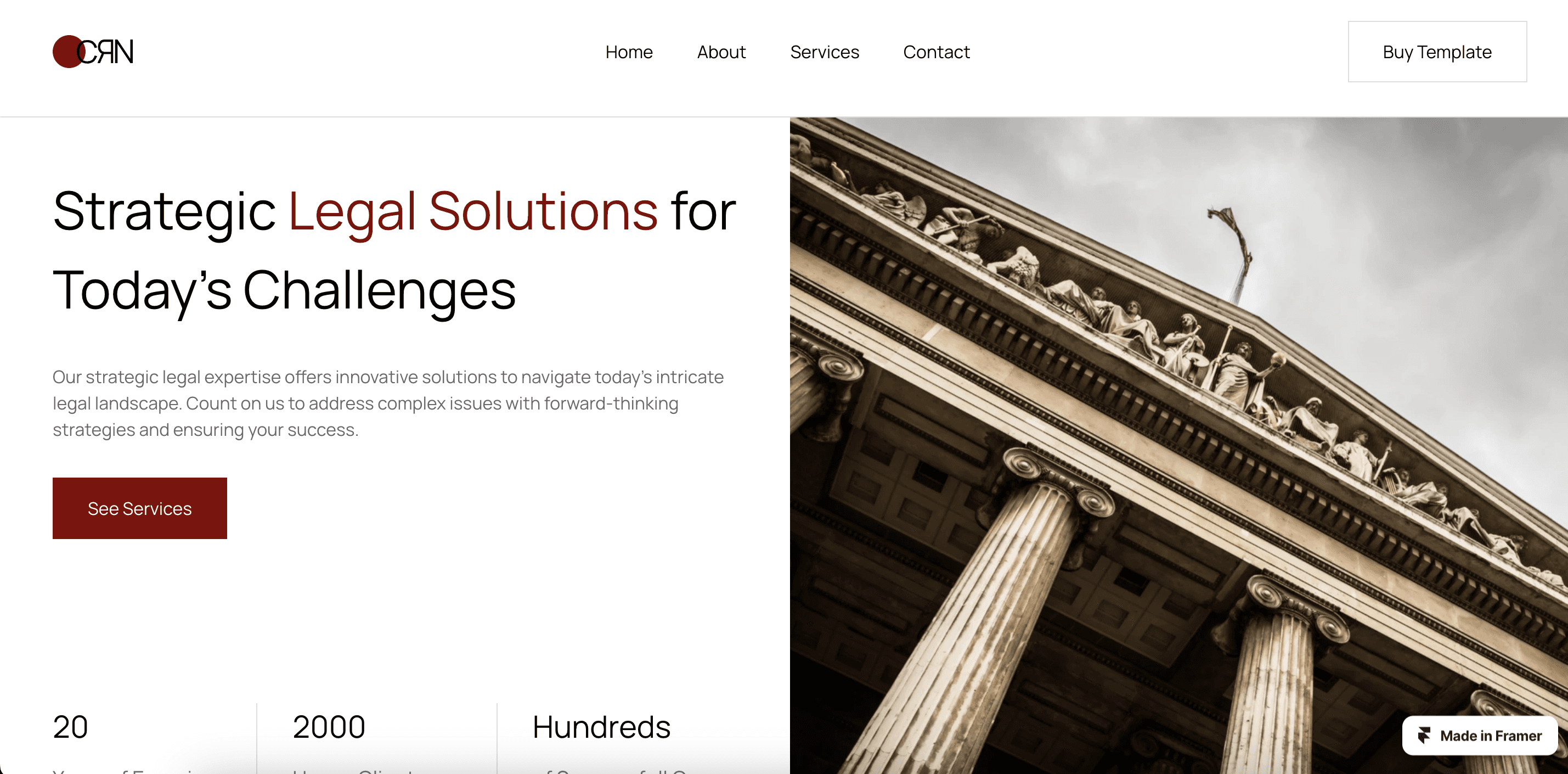
The CRN Law Firm Template by Kağan Kurşun, a modern and sophisticated Framer template designed for law firms. It empowers firms to showcase their legal services and expand their client base. With a professional appearance and user-friendly interface, it seamlessly combines form and function.
The template offers customization options, including scroll effects, text styles, breakpoints, and a Content Management System (CMS). Essential pages like Home, About, Contact, Services, and Service Single are included. Elevate your online presence, attract clients, and establish your firm as a leader in the legal field with this exceptional Framer template.
3. Marker - Best Framer Template for Marketing Agencies
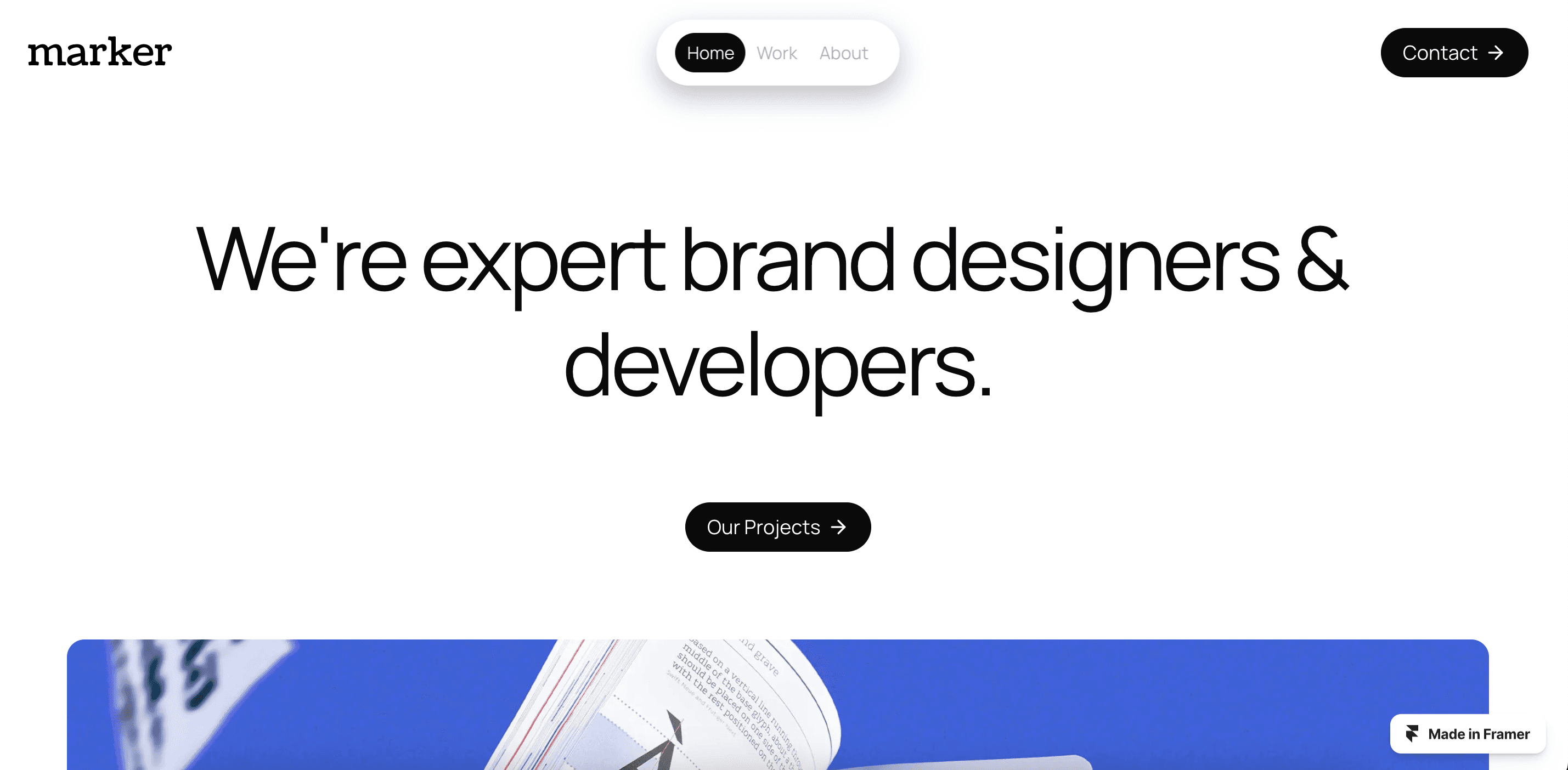
Meet Marker, an impressive website template designed for design and marketing agencies, as well as small businesses looking to showcase their work. This dynamic template serves as a captivating canvas to spotlight your accomplishments and proficiency.
Seamlessly combining aesthetics and functionality, Marker empowers you to leave a lasting impression on visitors and potential clients. With scroll effects, text styles, breakpoints, and a Content Management System (CMS), customization options are abundant. Showcase your brand's prowess in a visually compelling manner with Marker, the gateway to amplifying your impactful endeavors.
The Best E-commerce Framer Templates
1. SleekFolio - Best Ecommerce Framer Templates
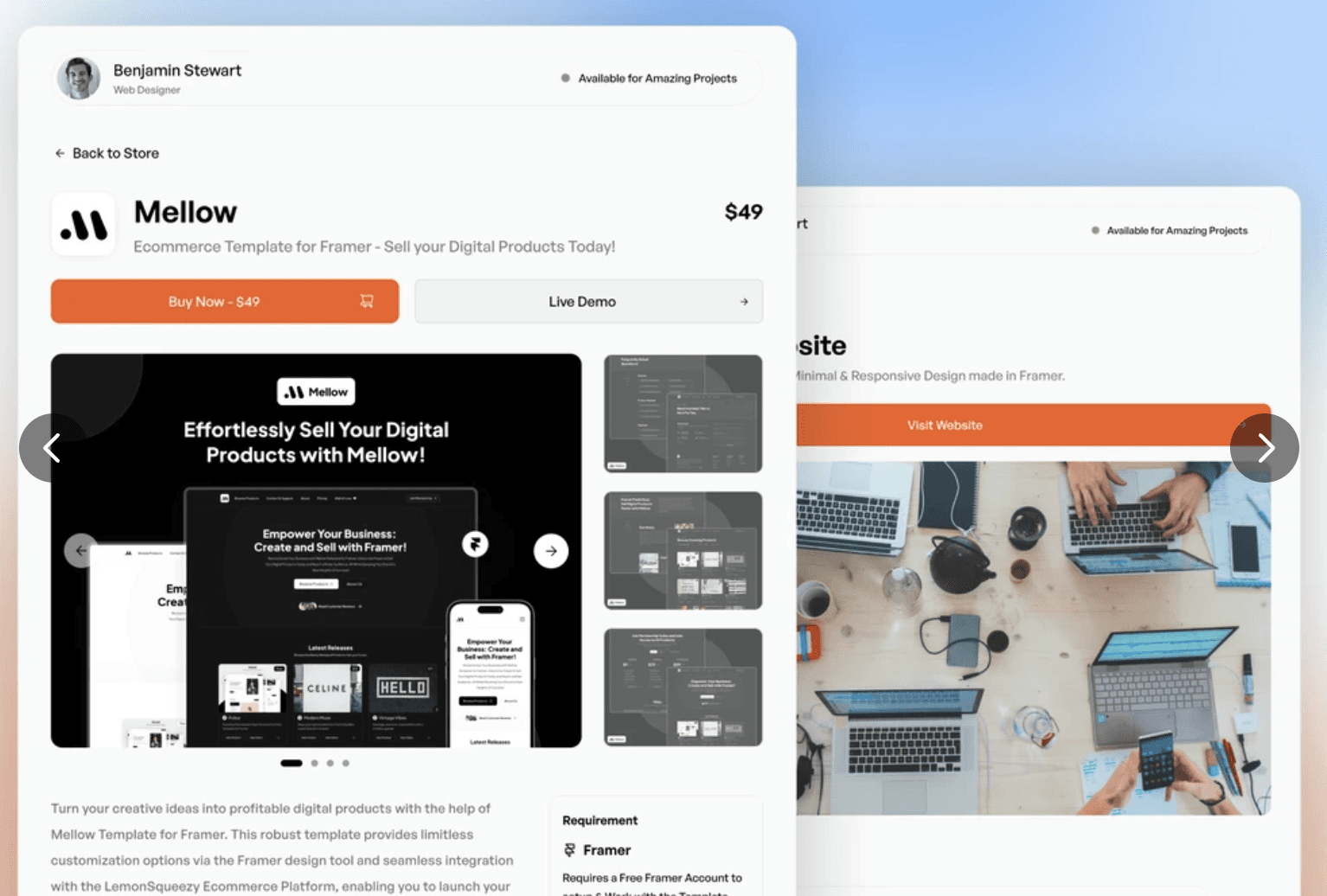
SleekFolio is a stunning Framer template designed to showcase and monetize your creative endeavors. With its sleek and minimal design, this template offers 9+ pages, a floating navigation bar, and captivating ecommerce features. Experience a clean and refined aesthetic that seamlessly displays your portfolio and facilitates the smooth selling of your digital products.
Immerse yourself in the world of elegant simplicity with SleekFolio, empowering your creative journey and enhancing your sales endeavors. Explore the impressive features of this template, including scroll effects and breakpoints, to create a captivating and functional website. Elevate your portfolio and ecommerce presence with SleekFolio, the perfect choice for artists and creatives.
2. Winder -Best Framer Saas Template
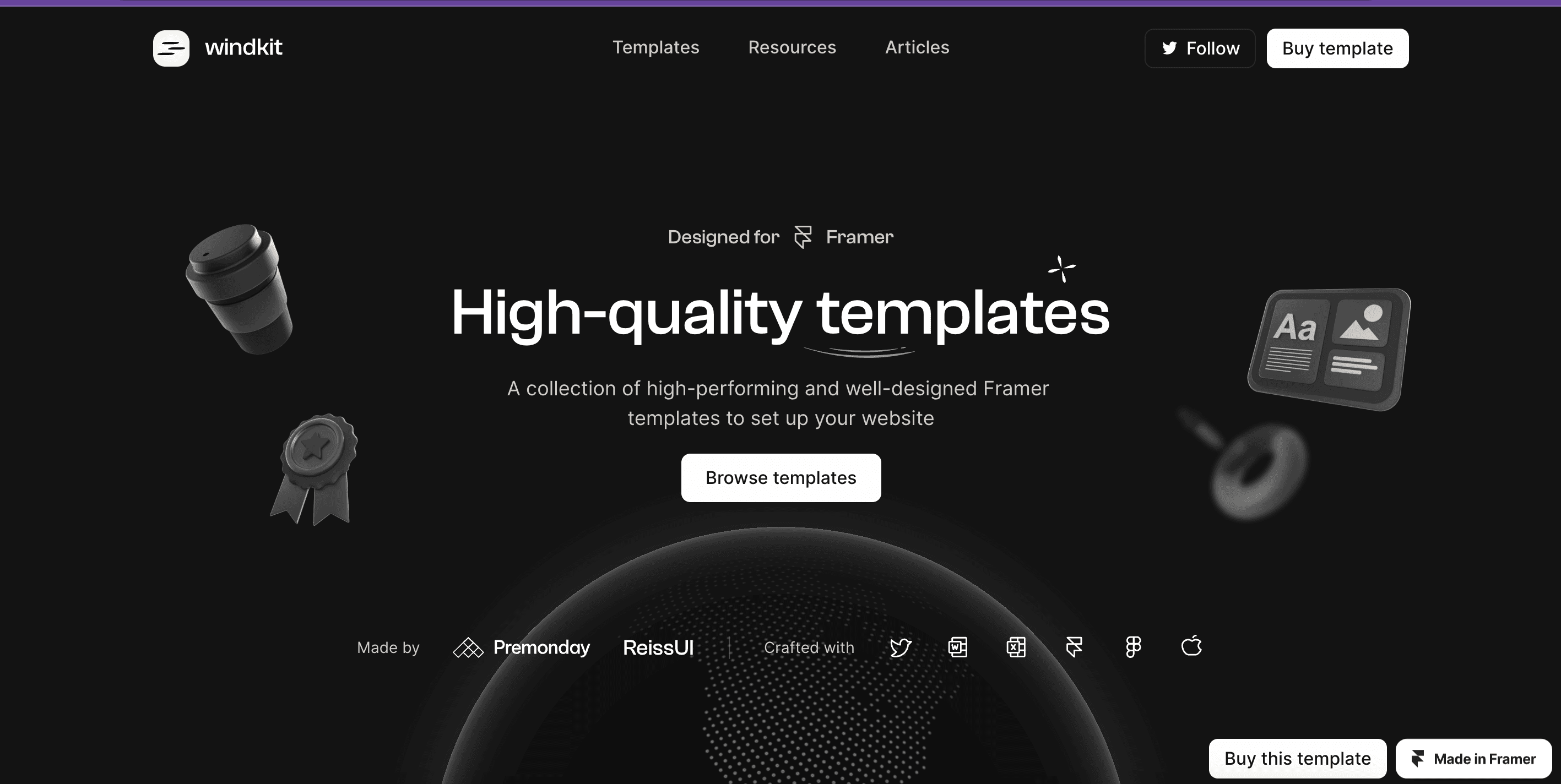
Winder is a powerful SaaS template designed by Reiss Somers, offering a digital sales platform that allows you to share your resources, templates, and knowledge through blog posts. This expansive platform serves as a hub for creators and seekers, fostering a vibrant exchange of insights, designs, and wisdom. With features like scroll effects, text styles, breakpoints, and a Content Management System (CMS), Winder empowers you to curate a rich tapestry of content that enriches the digital landscape.
Elevate your online presence and influence as you unravel your offerings in a format that fosters connection, growth, and mutual empowerment. Experience the seamless integration of design and functionality with Winder, the ultimate SaaS template for sharing and monetizing your expertise.
3. Creador - Best Framer CMS Website
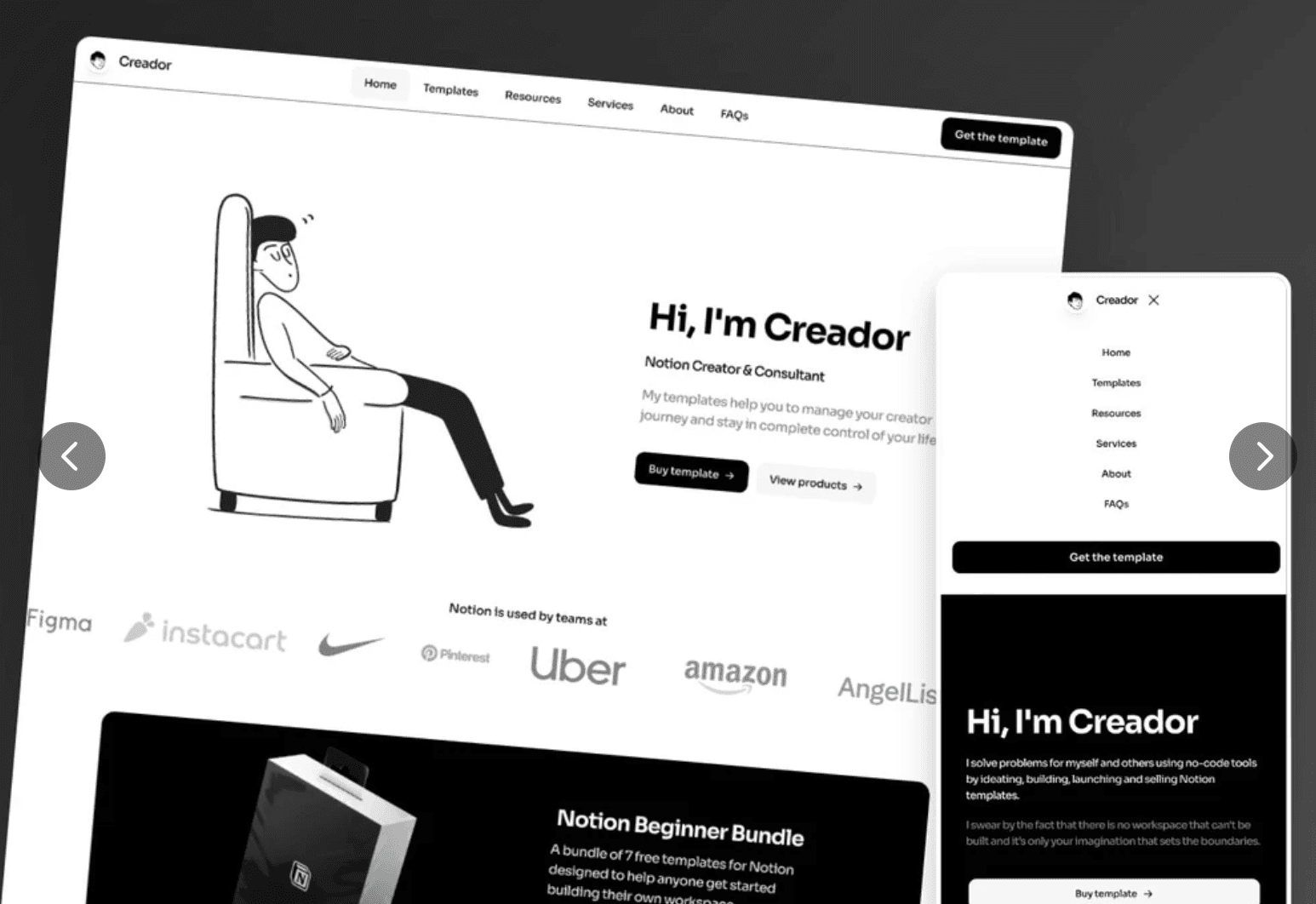
Creador is a website template designed specifically for Notion Creators. Created by Chris Nutbeen, this template provides a Content Management System (CMS) tailored for Templates & Resources, allowing you to effortlessly publish, promote, and sell your Notion templates. With its selection of flexible layouts, pages, and components, you can customize the template to reflect your personal style.
Seamlessly integrate your content and images, and connect with your preferred Lemon Squeezy or Gumroad store for efficient distribution. Experience the power of Creador as it enhances your digital presence and enables seamless sharing and commerce of Notion templates. Unlock your creativity, showcase your work, and embark on a journey of successful Notion template monetization with Creador.
Book a free consulting call with Goodspeed
The Best Framer Health Template
1. At Eight - Best Framer Health Template

AtEight is a comprehensive Ecommerce Template offered by THE WALL. ■ COMMUNICATIONS. It features a contemporary UI design and modern animations, making it perfect for driving sales and leaving a lasting impression on customers. The template combines aesthetics with functionality, providing an immersive shopping experience that encourages customer engagement and conversions. With a clean and minimalistic approach,
AtEight allows products to take center stage without any distractions. The template includes scroll effects, text styles, breakpoints, and a Content Management System (CMS) for easy customization. Elevate your online store with AtEight and create a visually appealing and user-friendly ecommerce platform.
2. Beauti - Best Framer Salon Website
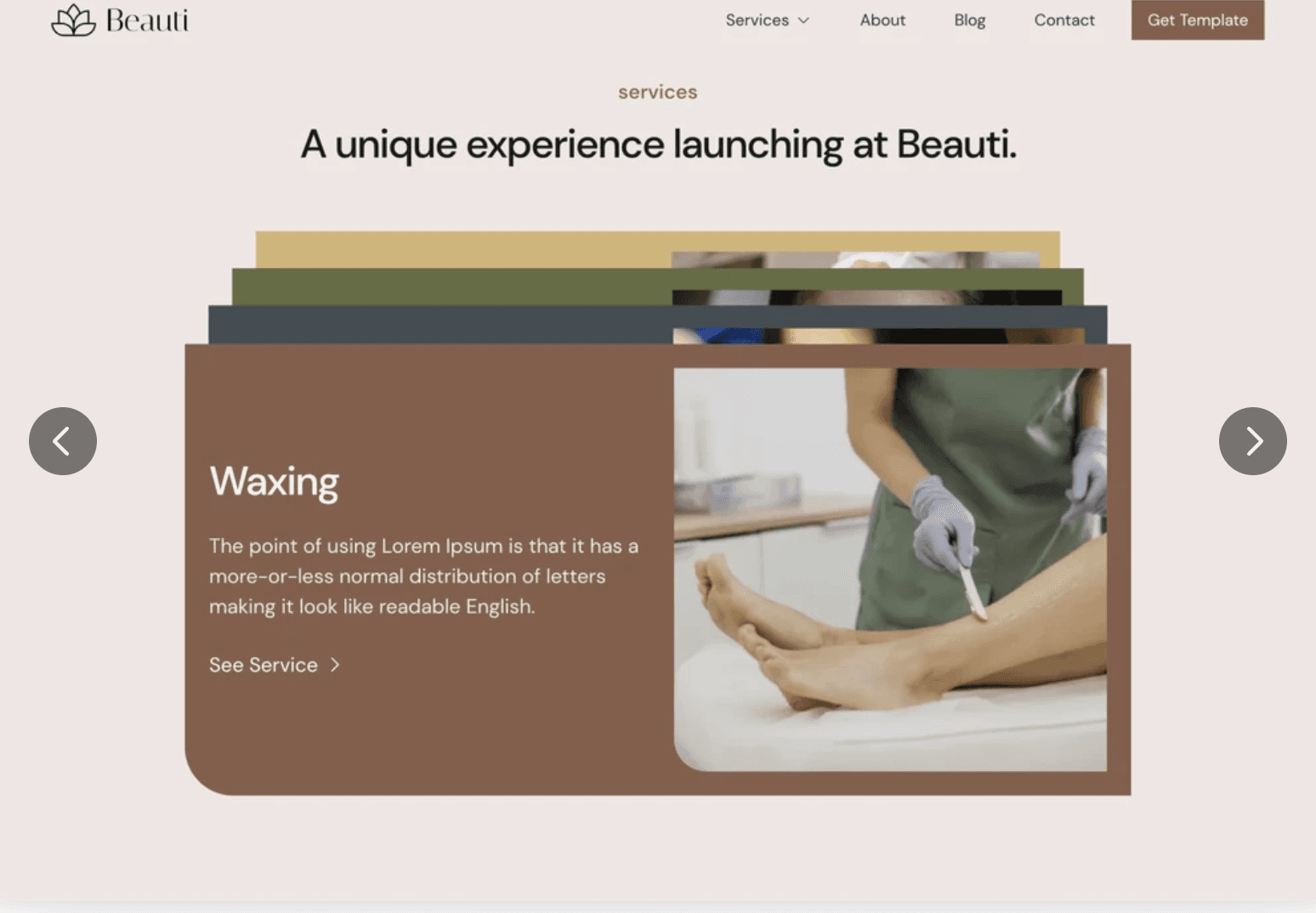
Beauti is a versatile salon website template designed by Selahattin Çamiçi for Framer. It caters specifically to beauty spa businesses, including beauty salons, makeup studios, hair salons, spas, yoga studios, and cosmetic and skin treatment centers. The template offers a clean and uncluttered design, aligning with the aesthetics of the beauty and wellness industry. With its flexibility,
Beauti can be customized to meet the unique requirements of any beauty business, ensuring a unique and attractive online presence. The template features scroll effects, text styles, breakpoints, and a Content Management System (CMS) for easy management. Enhance your beauty business's digital presence with Beauti and create a serene and user-friendly website that showcases your services and brand effectively.
3. Vever - Best Framer Vintage Website
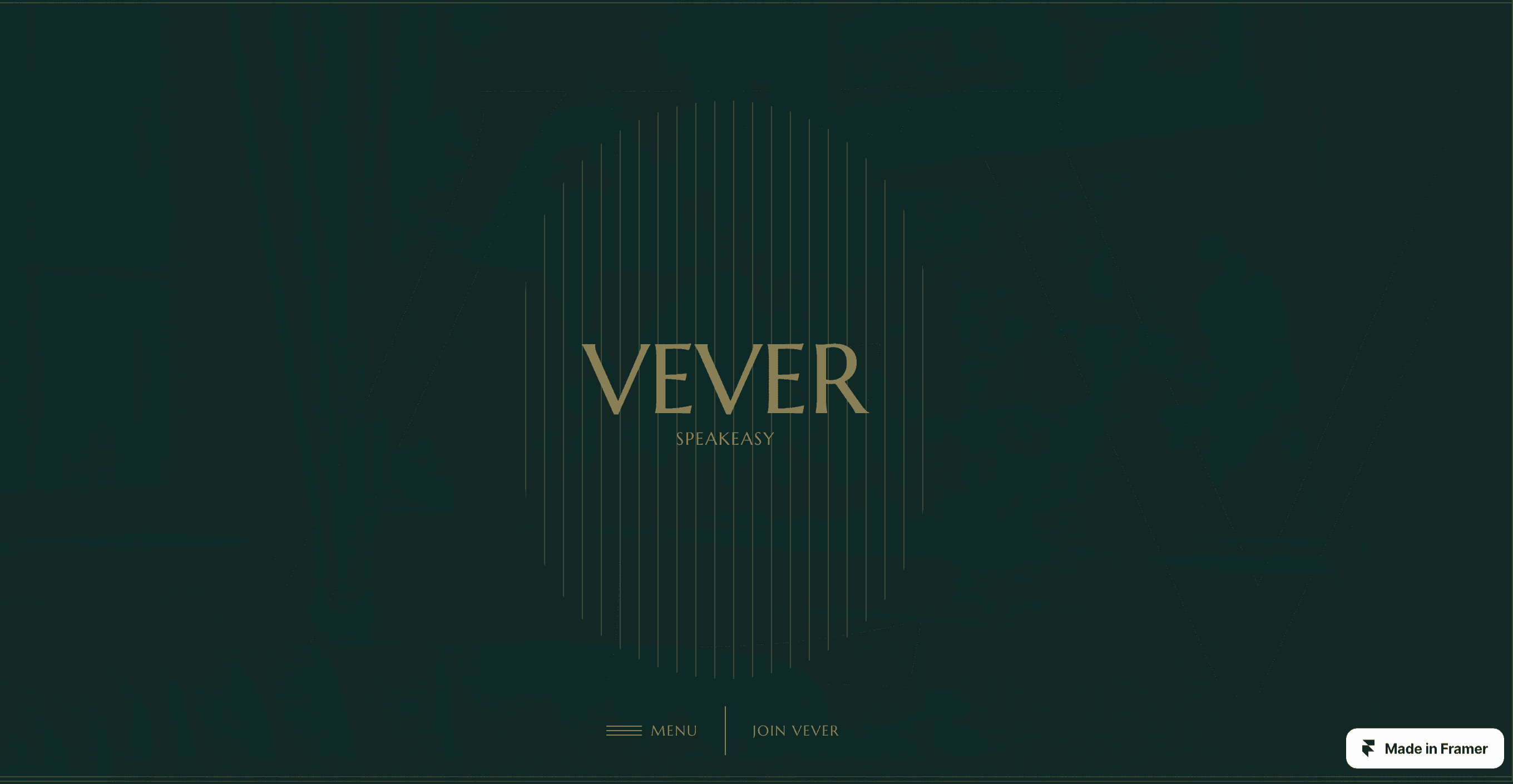
Vever is a vintage website template designed by Huig for Framer. It captures the essence of a bygone era while incorporating modern elegance. The template showcases meticulous attention to detail, with perfectly aligned elements and visually appealing typography. Its combination of vintage aesthetics and contemporary design elements creates a unique and timeless look.
Vever offers smooth transitions, intuitive navigation, and interactive elements for a seamless user experience. With scroll effects, text styles, breakpoints, and plugins, the template provides flexibility and customization options. It features pages such as Home, Membership, About, Menu, Shop, Product, Faq, Testimonials, Contact, and 404. Elevate your website with Vever and create a visually stunning and engaging vintage-inspired design.
The Best Framer Blog Templates
1. Elysian - Best Framer Blog Template

Elysian is a luxury product template designed by FL Plus for Framer. It offers a premium and captivating website experience for launching high-end products. With this template, you have the freedom to unleash your creativity and customize every pixel to match your brand's identity.
The template showcases the brilliance of your premium product through mesmerizing design elements. It provides features such as scroll effects, text styles, breakpoints, and a Content Management System (CMS) for easy management. Elysian allows you to elevate your brand to new heights and make a lasting impact on your visitors with its immersive and meticulously crafted digital masterpiece.
2. The Decor - Best Framer Portfolio Template
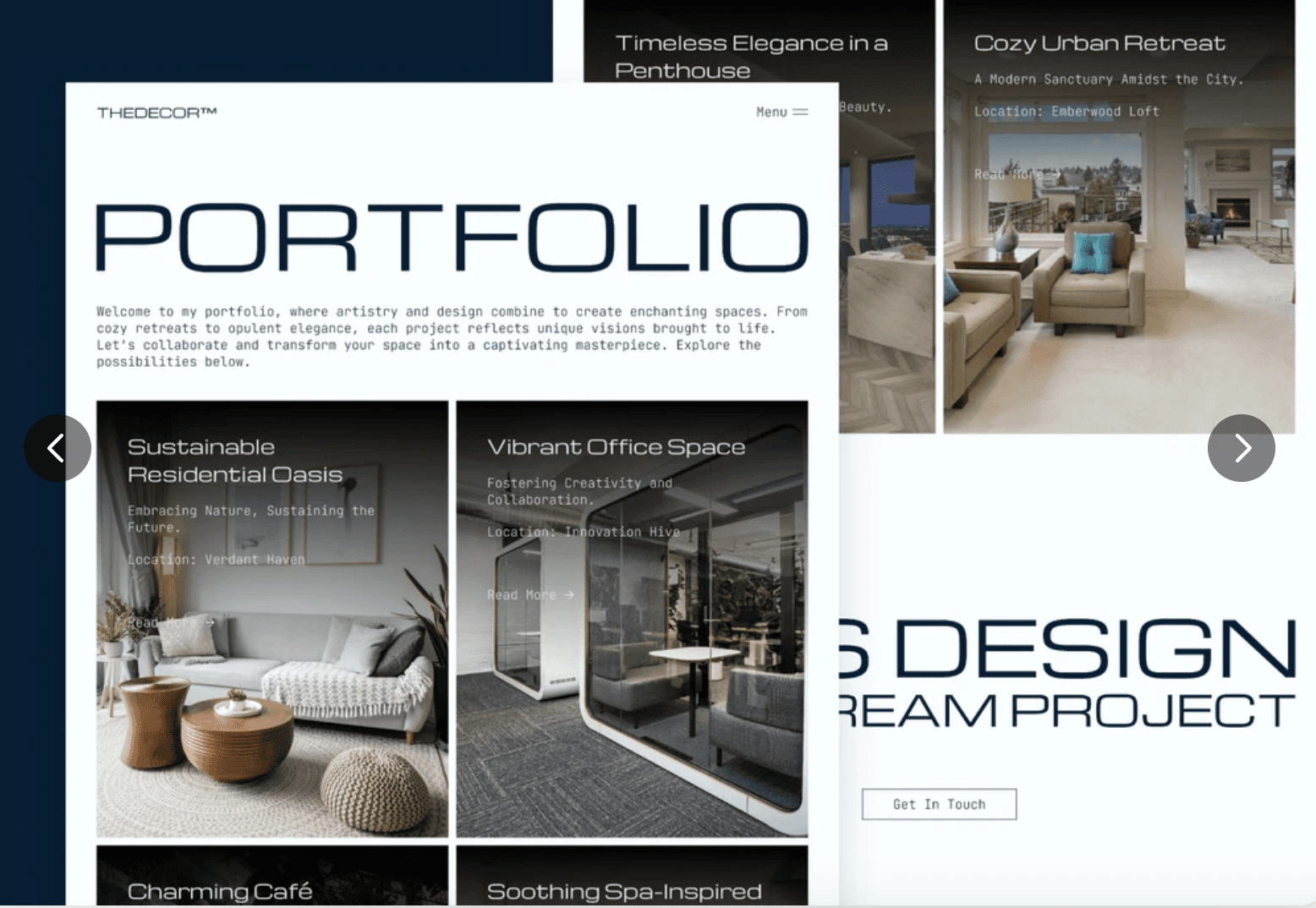
The Decor is a versatile portfolio website template designed for Framer. It offers a captivating and interactive experience for showcasing your artistic skills and design finesse. The template seamlessly adapts to desktop, tablet, and mobile devices, ensuring a consistent and immersive display.
With precision craftsmanship, it unlocks the boundless potential of your portfolio, allowing you to hold your audience spellbound. Features such as scroll effects, text styles, breakpoints, and a Content Management System (CMS) enhance customization and ease of use. Elevate your portfolio presentation and leave a lasting impression with The Decor, a dynamic and versatile Framer template.
3. LUMO - Best Framer Portfolio template
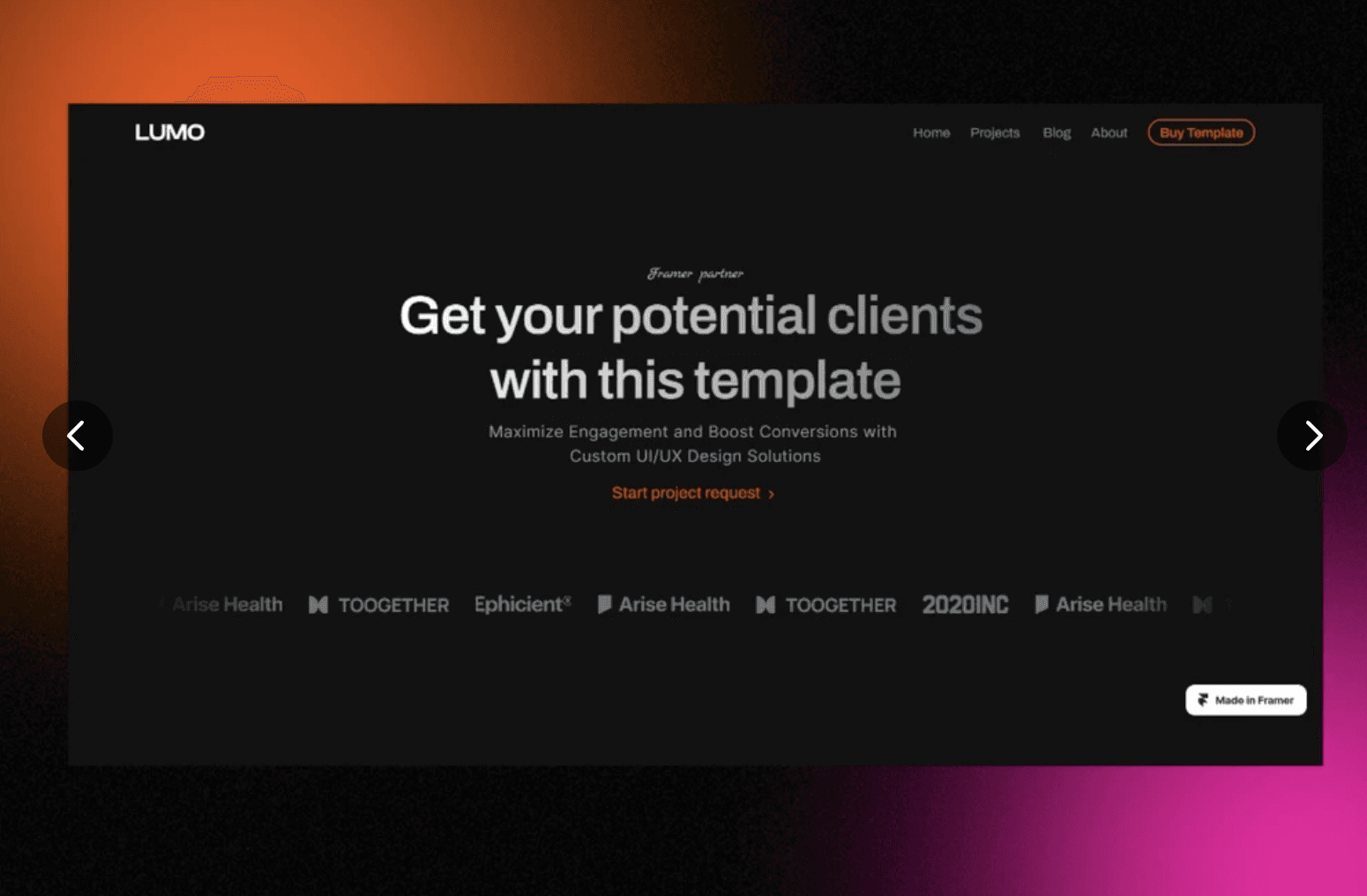
LUMO is an exceptional portfolio website template designed for designers and agencies using Framer. With its modern and sleek design, it offers a stunning and captivating way to showcase your work. The template is fully customizable, allowing you to tailor it to your unique needs and preferences.
It includes pre-designed pages for portfolio, about, contact, and more. LUMO is optimized for responsiveness across various devices and search engine optimization. It also integrates social media for better client reach. The template's key features focus on creating a powerful website introduction, showcasing skills, engaging content creation, establishing trust, and simplifying communication, offering a comprehensive and impressive website experience.
Book a free consulting call with Goodspeed
The Best Responsive Brand Guideline Website Templates
1. BlueMonday - Best Framer Responsive Brand Guideline Website Templates
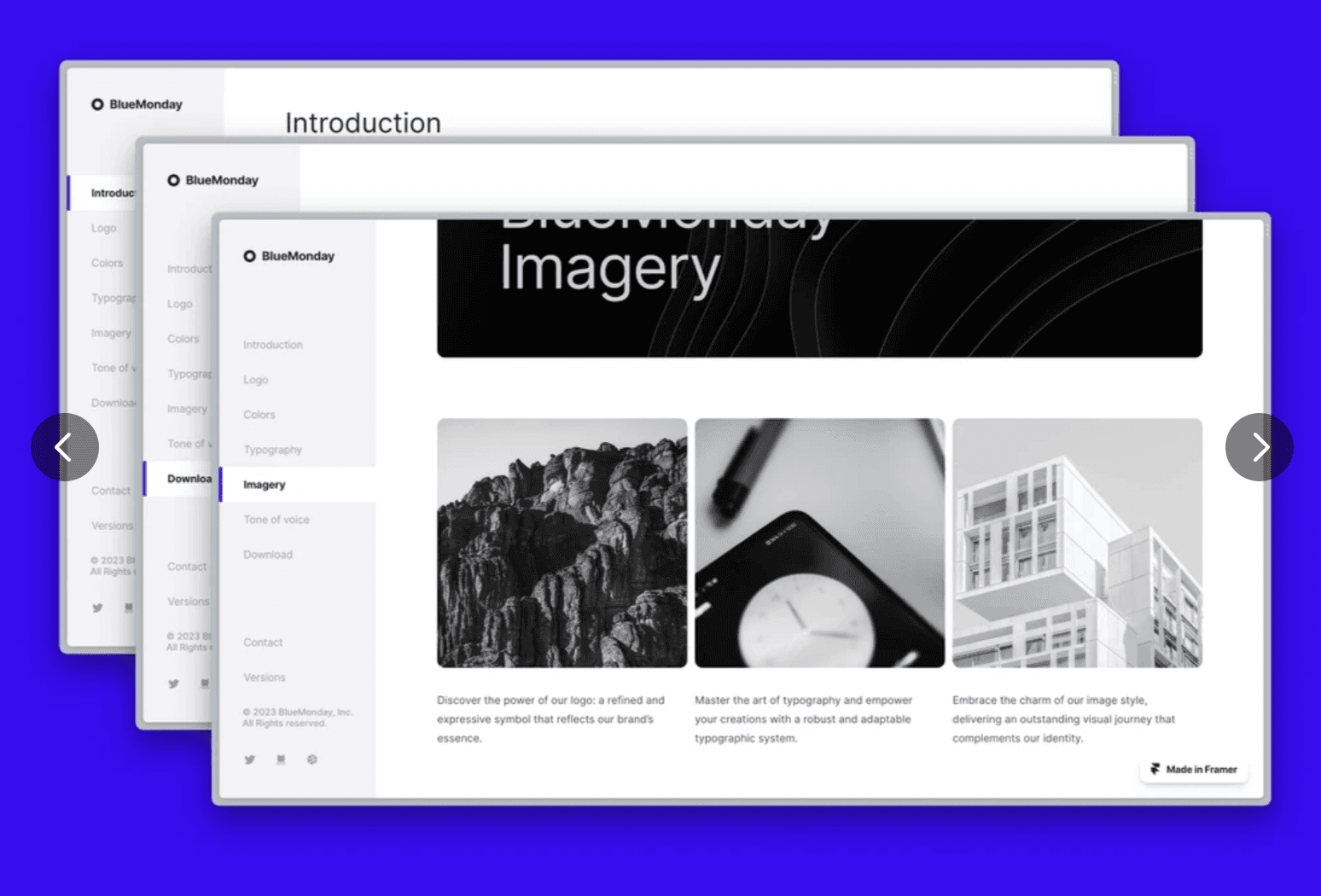
BlueMonday is a comprehensive and minimalist brand guidelines website template designed by Tomáš Hustoles for Framer. It provides a visually appealing one-page resource that combines all the essential information about your brand into a cohesive design. The template presents brand guidelines in a clear and concise manner, ensuring easy accessibility to important details.
With its well-structured and engaging design, BlueMonday effectively communicates your brand's identity, values, color palettes, typography, and more. It offers a time-saving solution for presenting brand guidelines professionally. The template features scroll effects, text styles, breakpoints, and light/dark theme options. Enhance your brand's visual presentation with BlueMonday, a powerful resource for showcasing your brand guidelines.
2. BrandBook - Best Framer Branding Guidelines Template
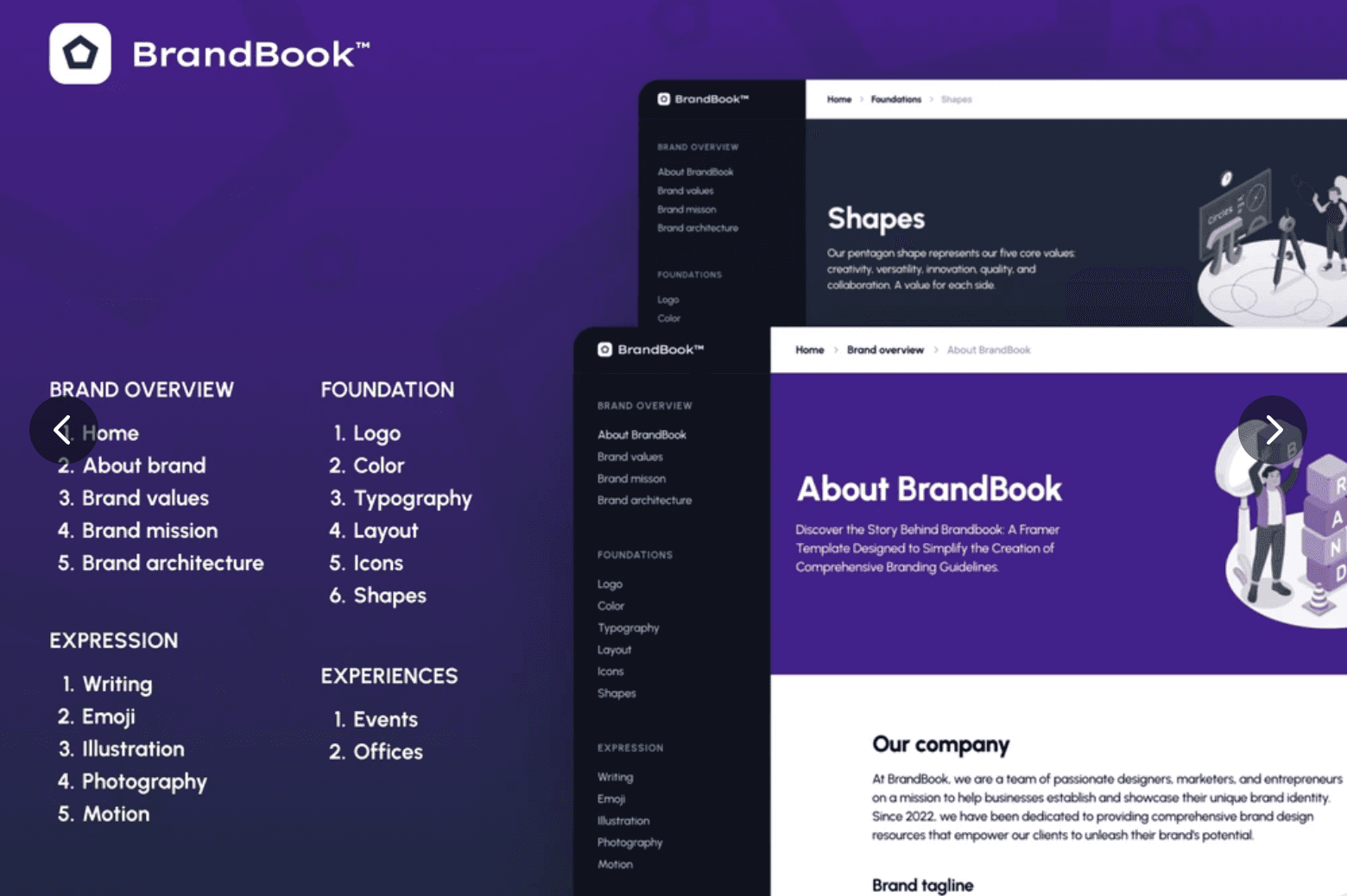
BrandBook is a comprehensive brand guidelines template available on Framer. Designed by Enframer.com, it offers pre-designed layouts to showcase brand elements such as typography, color palettes, logos, icons, and more. With 18 pages across 4 categories, including Brand Overview, Foundation, Expression, and Experiences,
BrandBook provides a platform to establish a distinctive brand identity. The template incorporates scroll effects, breakpoints, and a content management system (CMS) for easy customization. By utilizing BrandBook, you can create professional and visually appealing brand guidelines that set you apart from the competition. Experience the power of BrandBook by previewing and purchasing it on Framer's website.
3. Wiki - Framer Wiki Template
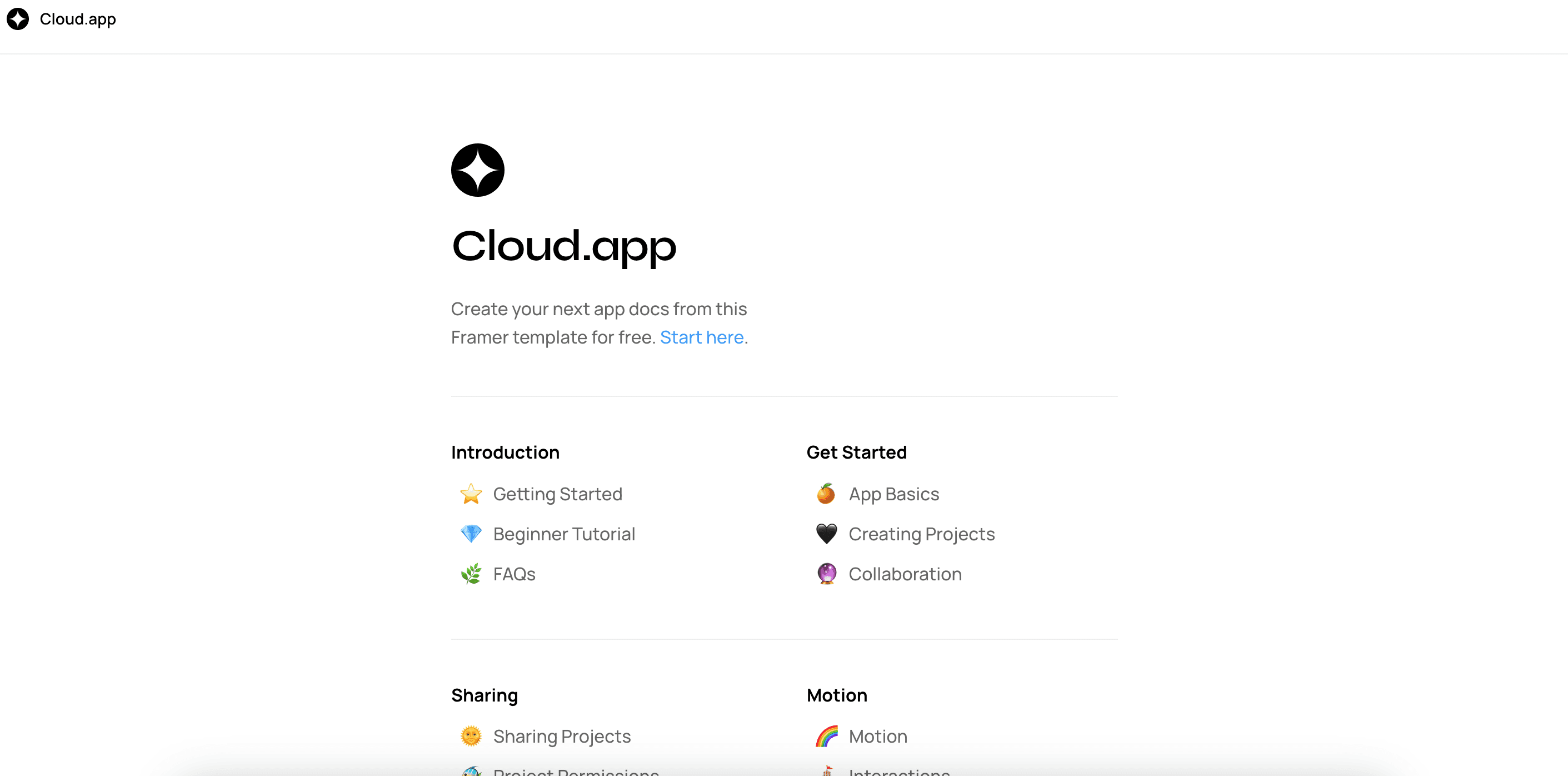
The Wiki Website Template on Framer is a minimalistic and customizable template designed to collect documentation and knowledge. It offers a modern and unique design for creating a wiki or knowledge base. The layout is simple yet flexible, allowing you to update colors, styles, typography, and rearrange sections according to your preferences.
Powered by a powerful content management system (CMS), you can easily manage and collaborate on content with your team, ensuring that your documentation is up to date. With features like text styles, breakpoints, and plugins, this template provides a user-friendly experience. Try the Wiki Website Template today and create your own customized wiki effortlessly.
Book a free consulting call with Goodspeed
The Best Framer Portfolio Template
1. Grid Templates - Best Framer Portfolio Template
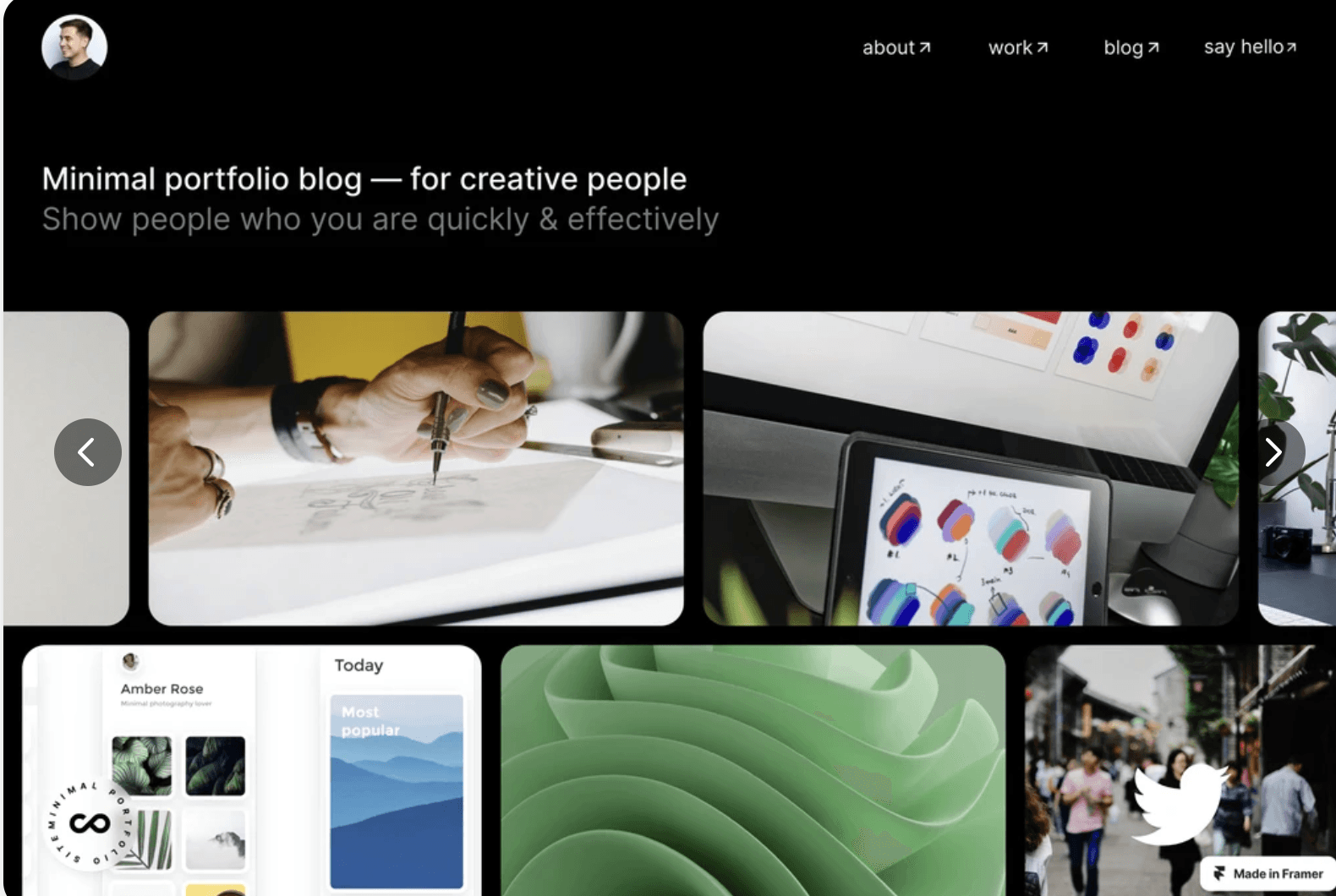
The Grid Templates Portfolio Template is a sleek and modern design that is perfect for showcasing your latest and greatest projects. With a clean and minimalistic style, this template is easy to customize and features a range of customizable components.
2. Iris Wade - Creator Portfolio Template
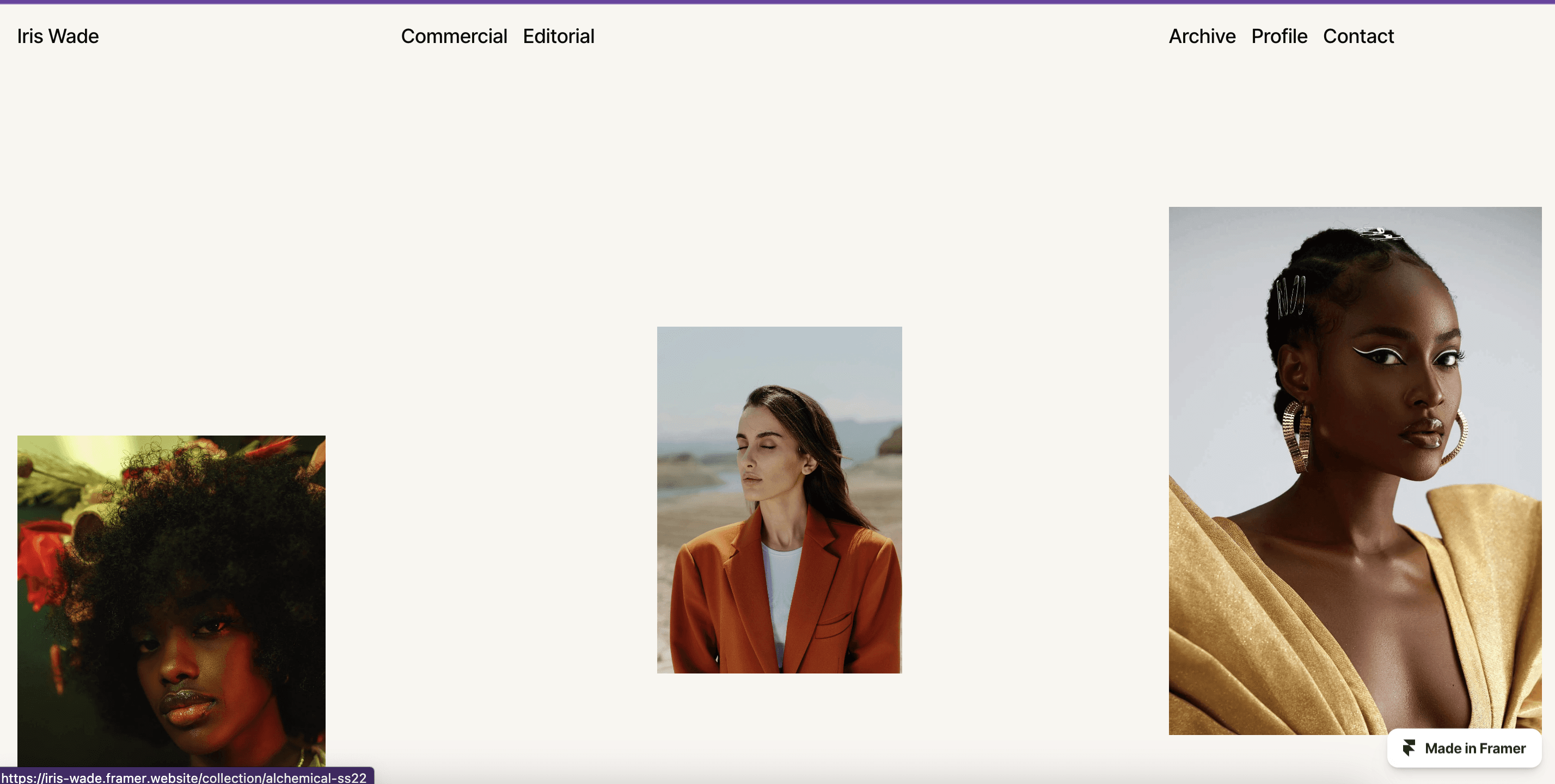
The Iris Wade Creator Portfolio Template is a clean and professional design that is ideal for photographers, creators, and other designers. With a range of customizable components and a responsive design, this personal portfolio template is easy to use and customize.
3. FF Minimal - Portfolio Template
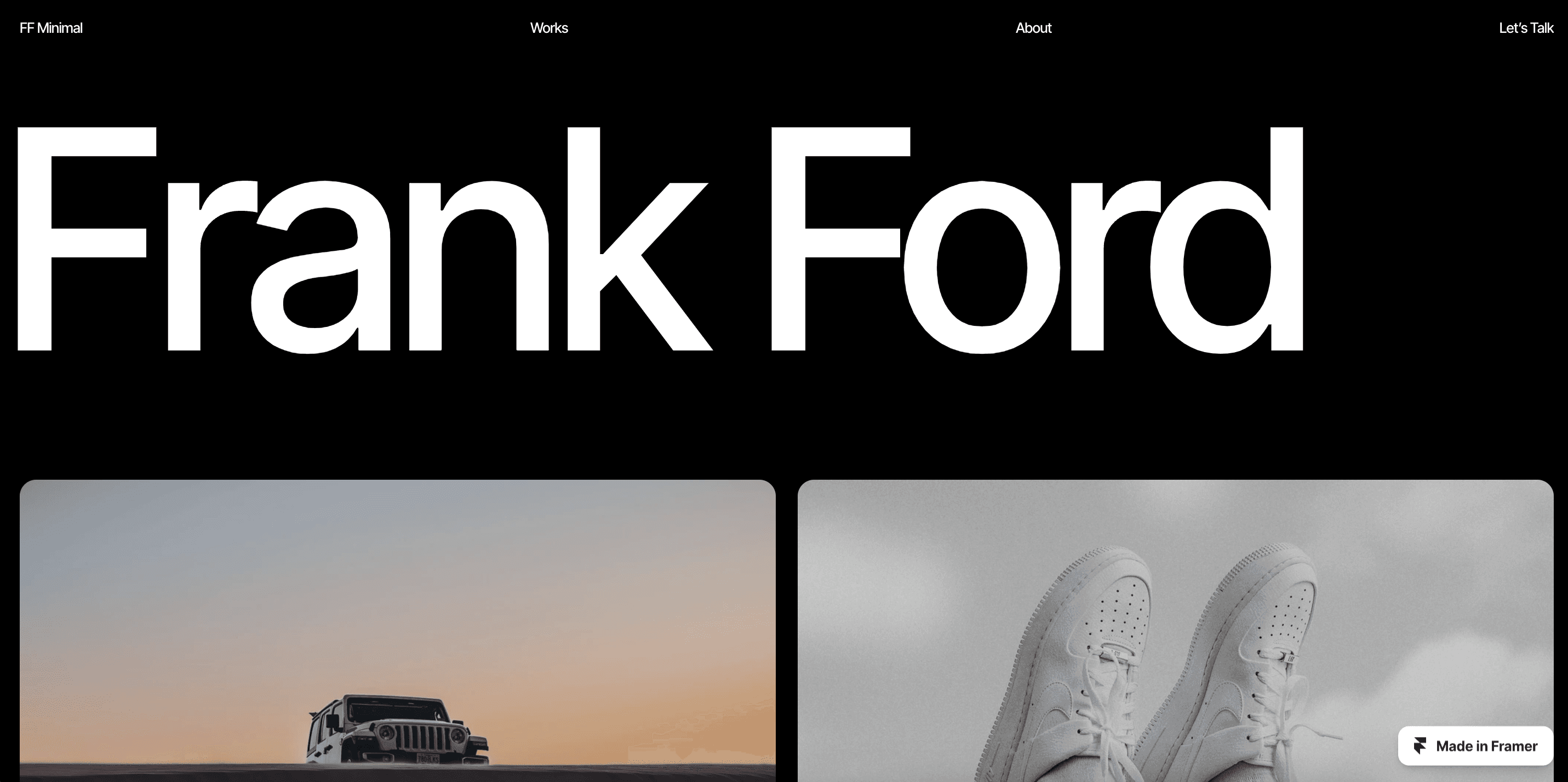
The FF Minimal Portfolio Template is a premium template that features a clean and minimalistic design. With a range of customizable components and a responsive design, this template is perfect for showcasing your work in a professional and stylish way.
4. Simpl - The Framer Template for Restaurants
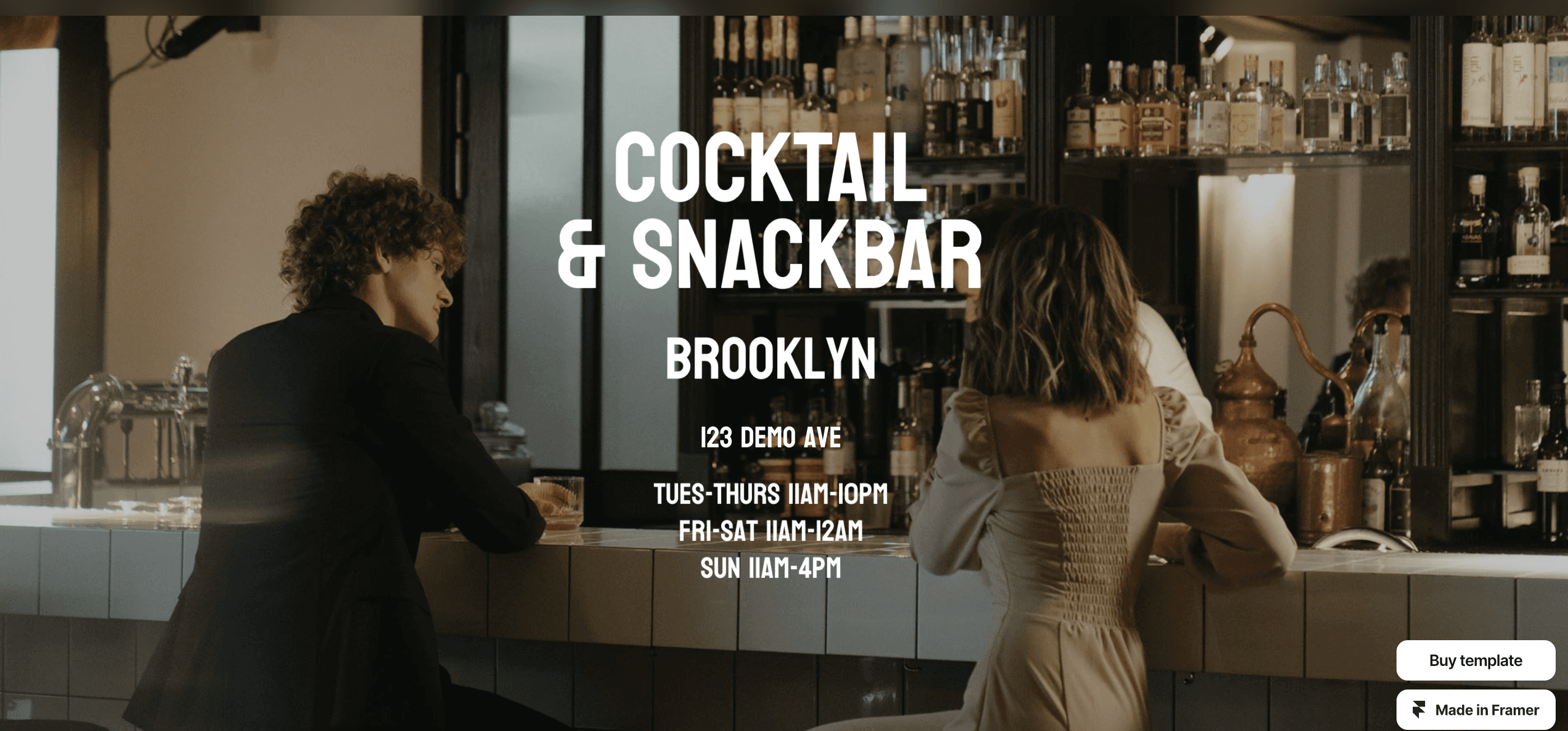
The Simpl Template for Restaurants is a unique and versatile design that is perfect for food and beverage businesses. With a range of customizable components and a responsive design, this template is easy to use and customize.
How to Choose the Best Framer Template for Your Needs
When choosing a Framer template, it's important to evaluate your project requirements and select a template that meets your needs. Here are some tips for evaluating a template:
Consider the design: The template should be well-designed and visually appealing, with a clean and minimalistic style that is easy to customize.
Consider the responsiveness: The template should be responsive, meaning it should work well on different devices and screen sizes.
Consider the ease of use: The template should be easy to use and customize, with clear documentation and support available.
Check Business Fit Before You Judge the Design
A template that looks right but fits the wrong business costs more to fix than to replace. Before you compare designs, answer four questions:
Who is the site for? Your buyer, the device they use and how much detail they want before they get in touch.
What is the one job? Leads, sign-ups, sales or credibility. Pick the template whose page structure already does that job.
What content do you have? Count the pages, case studies, blog posts and team profiles you need now and in a year, and check the template has a layout for each.
Will it grow with you? A template that cannot add new page types or CMS collections without a rebuild is a short-term fix.
Check the Integrations You Need
List the tools the site has to work with before you buy, then confirm each one in the template preview or documentation:
Analytics and tag manager: Google Analytics or your analytics tool, plus a tag manager if marketing runs campaigns.
CRM and forms: where form submissions go (HubSpot, Salesforce or email) and whether the template forms can route there.
Email marketing: newsletter or waitlist sign-ups connected to your email platform.
Payments and e-commerce: Framer is not a full e-commerce platform, so check how checkout will work, for example through an embedded Shopify or Stripe flow.
Booking and scheduling: calendar embeds such as Calendly or HubSpot meetings.
CMS and localisation: enough CMS collections for your content on your Framer plan, and localisation if you sell in more than one language.
If a template fails on business fit or on two or more integrations, keep looking. Customising past those gaps usually costs more than the time the template saved.
Tips on Using Framer Templates Effectively
To get the most out of your Framer website's templates, here are some best practices to follow:
Read the documentation and tutorials carefully
Customize the template to fit your project requirements
Use the template as a starting point, rather than a finished product
Experiment with different design inspiration ideas and concepts
Framer templates can be a powerful tool for designers, allowing them to save time and improve consistency in the design process. By choosing the right template and customizing it to fit your project requirements, you can create stunning and professional designs with ease. We hope this post has provided you with the information and inspiration you need to start using Framer templates effectively.
Book a free consulting call with Goodspeed
Finding, Testing and Launching a Framer Template
Picking a template is easier with a short, repeatable process. These steps help you avoid a template that looks good in a preview but fights you once real content goes in.
Where to Look
The official Framer Marketplace: the main source for free and paid templates, with live previews and creator pages.
Independent creators and studios: some sell templates on their own sites or digital storefronts, often with niche designs not listed elsewhere.
Design communities: the Framer community forum, Dribbble, Behance and Reddit are useful for spotting designers and free releases.
Whatever the source, check who made the template, whether it is still updated and how to get support.
Test Before You Commit
Shortlist three to five templates that include the sections you actually need, such as features, pricing, case studies, FAQs or a blog.
Click through the live preview on a phone, a tablet and a desktop. Check navigation, buttons and scrolling behaviour.
Where you can, copy the template into your own Framer account and drop in your logo, colours and real copy. Some designs only work with short placeholder text.
Try changing the hero, adding a call to action and connecting a form. If small edits break the layout, move on.
Show the shortlist to anyone who will sign off on the site before you buy.
Free or Premium
A free template is often enough for a simple landing page or an early test of an idea. A paid template makes more sense when it includes components that would take time to build yourself, documentation, or a creator who still ships updates. Read reviews for mentions of editing limits and support.
Common Mistakes to Avoid
Choosing for today only: if you will need a blog, more pages or CMS collections later, make sure the template can grow without a rebuild.
Skipping a speed check: run a Lighthouse test on the preview and on your own version. Heavy animation, large images and extra scripts all add weight.
Over-animating: keep motion for moments that guide attention, not every section.
Uncompressed media: compress images and video before upload and avoid autoplaying large files.
Ignoring accessibility: check colour contrast, readable body text size and keyboard navigation.
Launching with placeholders: replace default fonts, stock images and template copy so the site does not look like every other copy of the same template.
Forgetting SEO basics: set page titles, meta descriptions and image alt text before you publish.
Conclusion
Framer templates are a valuable resource for designers, streamlining the design process and enhancing consistency. By choosing the right template and customizing it strategically, designers can create stunning and professional designs with ease.
Framer templates are your gateway to efficiency, consistency, and inspiration. So, grab a template, unleash your creativity, and watch your designs come to life. Remember, the best template is the one that sparks your imagination and empowers you to create something truly unique. So, explore, experiment, and let your design journey begin!
If you want something more customized, you can reach out to us at Goodspeed. We’re a team of expert Framer designers, and partners - we can build your responsive landing page, marketing and personal sites that load quickly, optimized for SEO and look beautiful

Harish Malhi
Founder of Goodspeed
Harish Malhi is the founder of Goodspeed, one of the top-rated Bubble agencies globally and winner of Bubble’s Agency of the Year award in 2024. He left Google to launch his first app, Diaspo, built entirely on Bubble, which gained press coverage from the BBC, ITV and more. Since then, he has helped ship over 300 products using Bubble, Framer, n8n and more - from internal tools to full-scale SaaS platforms. Harish now leads a team that helps founders and operators replace clunky workflows with fast, flexible software without writing a line of code.
Frequently Asked Questions (FAQs)
What are framer templates?
Framer templates are pre-designed layouts and designs created for use with the Framer tool. These templates are ready-made website templates, portfolio themes, and other responsive layouts that can be easily customized and used for different projects.
Where can I find the best framer templates?
You can find a wide selection of the best framer templates on various platforms and marketplaces that specialize in offering framer website templates. These platforms often allow users to submit a template for consideration and provide a great source of design inspiration for anyone looking to create a new website's layout.
How can framer templates benefit my project?
Using framer website templates can save you time and resources, whether you're working on a startup website, a creative showcase, or an ecommerce platform. These templates offer a user-friendly interface and fully responsive design that can help you kickstart your project and get started quickly.
Are there free framer templates available?
Yes, there are several platforms that offer free framer templates for personal and commercial use. These templates often include minimalistic and sleek and modern designs that are tailor-made for photographers, mobile app developers, and ecommerce businesses.


