You built something real in Bubble. Your web app works, users are signing up, and the product has traction. Now someone on your team says it: "We need to be on mobile."
So you start researching.
And within an hour, you are deep in Bubble forum threads, Reddit debates, and conflicting advice about wrappers, WebViews, native builders in beta, and tools you have never heard of.
Half the posts are six months old. The other half contradict each other. You still do not know which path to take, what it will cost, or whether the whole thing will fall apart during App Store review.
That confusion is expensive. Every week you spend going back and forth is a week your competitor spends shipping.
And choosing the wrong approach means rebuilding later, burning budget, and losing momentum you worked hard to earn.
Let's eliminate the guesswork. Here, we break down both paths for building a Bubble mobile app in 2026.
We'll talk about Bubble’s native mobile app builder and third-party wrappers like Natively, MobiLoud, and BDK.
You will get honest pros and cons, real pricing, setup tutorials, and a clear decision framework so you can commit to a direction and move.
Let's go.
Before You Choose: Foundational Steps to Build a Mobile App With Bubble
Whether you go native or wrapped, these four steps apply to every Bubble mobile project. Skip them and you will pay for it later in rework.
1. Set Clear Objectives and Goals
Every successful mobile app starts with a defined purpose. What problem does it solve? Who is the target user? What does success look like in 90 days? These answers drive every technical decision downstream, from navigation structure to database design. Without them, you are building features in a vacuum.
2. Assemble the Right Team
Depending on complexity, you may need designers, developers, testers, and a project manager. Assess whether you have the in-house skills to handle mobile-specific UI patterns and App Store submissions, or whether external Bubble expertise will save you time and rework.
3. Identify Your Target Audience
Understanding your users is not optional. Conduct research to map their needs, preferences, and pain points. Tailor features and design to match how your audience actually interacts with their devices. A B2B internal tool has different mobile expectations than a consumer marketplace.
4. Research the Competitive Landscape
Study existing apps in your niche. Identify gaps that your product can fill. This research also informs whether you need a full native experience or whether a wrapped web app is enough to compete in your market.
Building Your First Mobile App with Bubble
If this is your first mobile app, Bubble makes the process more accessible than traditional development. The visual editor and drag-and-drop tools let you build without writing code.
From setting up your project to designing your interface and connecting your data, the platform handles hosting, SSL certificates, and scalability so you can focus on the product.
To get started, choose a template or start from scratch, lay out your screens, add interactive elements, and connect your database.
Bubble has helped entrepreneurs develop over 6 million web applications over the past decade. With the native mobile app builder, that same capability now extends to iOS and Android. For responsive layout fundamentals, see our guide on creating responsive designs in Bubble.
Option A: Bubble Native Mobile Builder
What It Is
Bubble’s native mobile app builder, launched in public beta in 2025, lets you build fully native iOS and Android apps directly within the Bubble platform.
It runs on React Native behind the scenes but keeps the entire development process inside Bubble’s visual editor. No separate codebase, no context switching, no additional frameworks to learn.
How It Works
You use Bubble’s mobile canvas to design screens, manage navigation using single-page architecture and custom states, and export native builds for App Store and Google Play submission without leaving the platform.
Your web and mobile apps can share the same database and backend workflows, which means less duplication and faster iteration.
Pros and Cons
User Type | Pros | Cons |
Beginners | Supports App Store publishing with one codebase. No need to learn React Native directly. | Requires learning mobile-specific layouts and patterns. Some plugins may not be optimized for mobile use. |
Advanced Users | Greater control over layout and performance. Access to gestures, safe areas, and native components. | Still in beta with layout quirks and bugs. Navigation logic must be built manually using custom states. |
Common Pitfalls
Ignoring iOS and Android design guidelines leads to poor user experience and potential App Store rejections
Failing to account for safe areas or status bars causes layout issues on different devices
Using page reloads breaks native navigation and back button behavior
Assuming web workflows will translate directly to mobile leads to unexpected results
Pricing and Roadmap (2026)
As of 2026, Bubble offers three pricing tracks: Web-only, Mobile-only, and Web + Mobile. All prices below are for annual billing. For the latest details, check Bubble’s Pricing Page.
Web Plans (browser-based apps)
Plan | Monthly Cost (Annual) | Workload Units |
Starter | $29/month | 175,000 WUs |
Growth | $119/month | 250,000 WUs |
Team | $349/month | 500,000 WUs |
Mobile Plans (native iOS and Android)
Plan | Monthly Cost (Annual) | Includes |
Starter | $42/month | Build infrastructure, App Store/Play publishing |
Growth | $119–249/month | Multiple live versions, OTA updates |
Team | $449/month | Advanced collaboration, increased app limits |
Web + Mobile Plans (shared backend)
Plan | Monthly Cost (Annual) | Includes |
Starter | $59/month | Web + native mobile, shared database |
Growth | $119–349/month | Higher WUs, more live versions |
Team | $549/month | Full team features, priority support |
The native mobile app builder is still evolving, with gesture support, better layout tools, and deeper native API access currently in development. Expect broader support for scheduled deployments, branching, advanced analytics, and native push notifications as it matures.
Mini Tutorial: Using Bubble’s Native Mobile Builder
What You Need Before You Start
A Bubble app ready for mobile (responsive layouts, single-page navigation)
Bubble’s native mobile canvas enabled in your project
Plugins for push notifications (e.g., OneSignal)
Device testing tools like BubbleGo
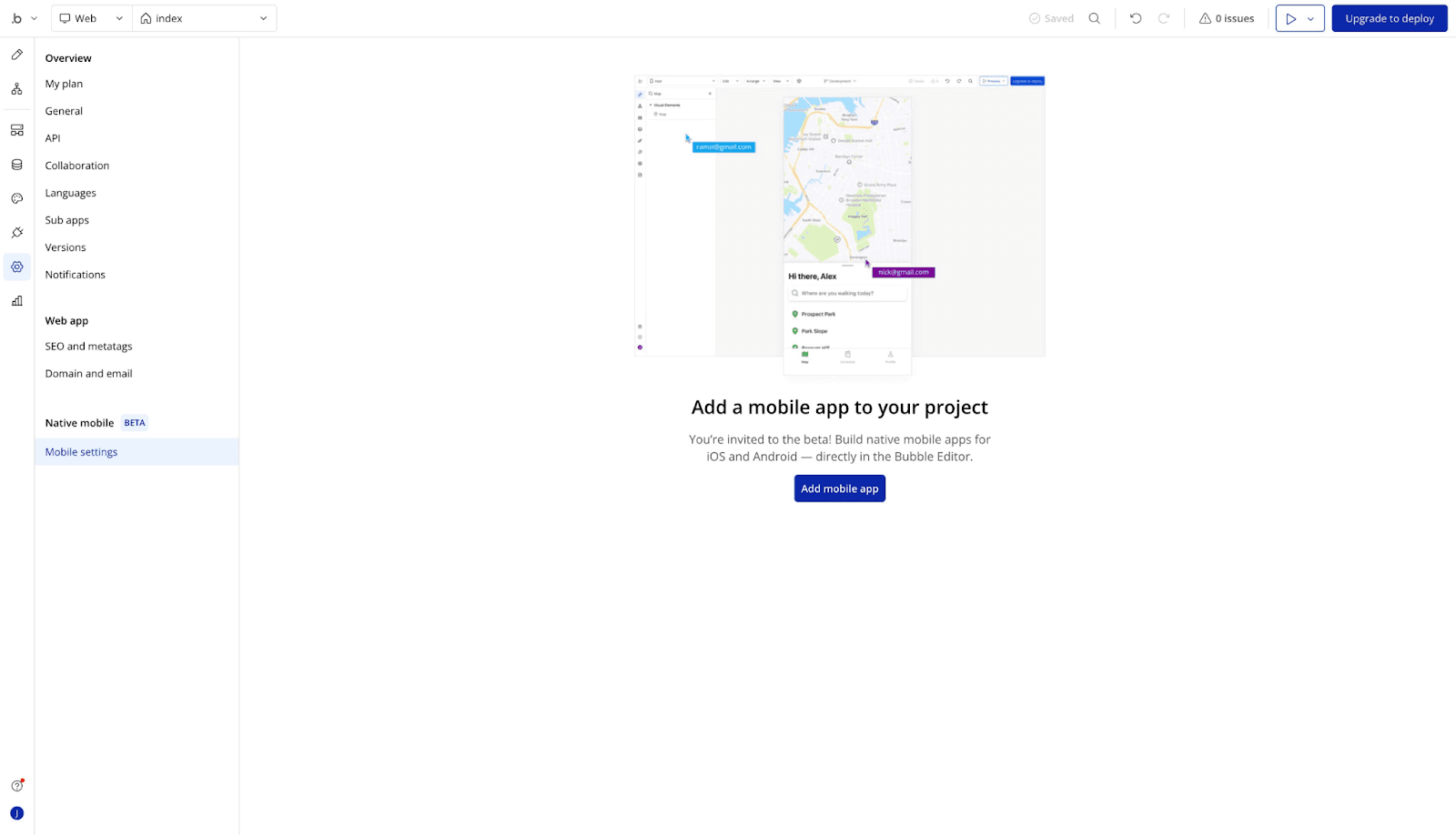
Note: Setting up BubbleGo for device testing can be tricky. Expect to troubleshoot connection and caching issues during initial setup.
Planning Your App
Use tools like Figma to map out mobile-first wireframes and user flows
Keep navigation simple with clear states and reusable elements
Define your data structure early to avoid performance issues later
Example: Messaging App Database Schema
Messaging apps like WhatsApp or Slack are strong examples of mobile-friendly database schemas, designed for simplicity, performance, and efficient data loading.
Data Type | Purpose |
User | Represents each person using the app |
Chat-Channel | Defines one-on-one or group conversations between users |
Chat-Message | Stores individual messages (text, images, videos), linked to a Chat-Channel |
Chat-Reaction | Tracks emoji reactions on messages, stored as a list within Chat-Message |
Contact | Keeps a user’s favorite contacts for quick access |
Users create or join Chat-Channels to start conversations.
When a message is sent, a Chat-Message record stores the content, media, and metadata.
Access control is built in: only users listed in a message’s visible-by field can see or search that message, ensuring privacy. Find out more about database structure by app type on Bubble Docs.
Setting Up Your Project in Bubble
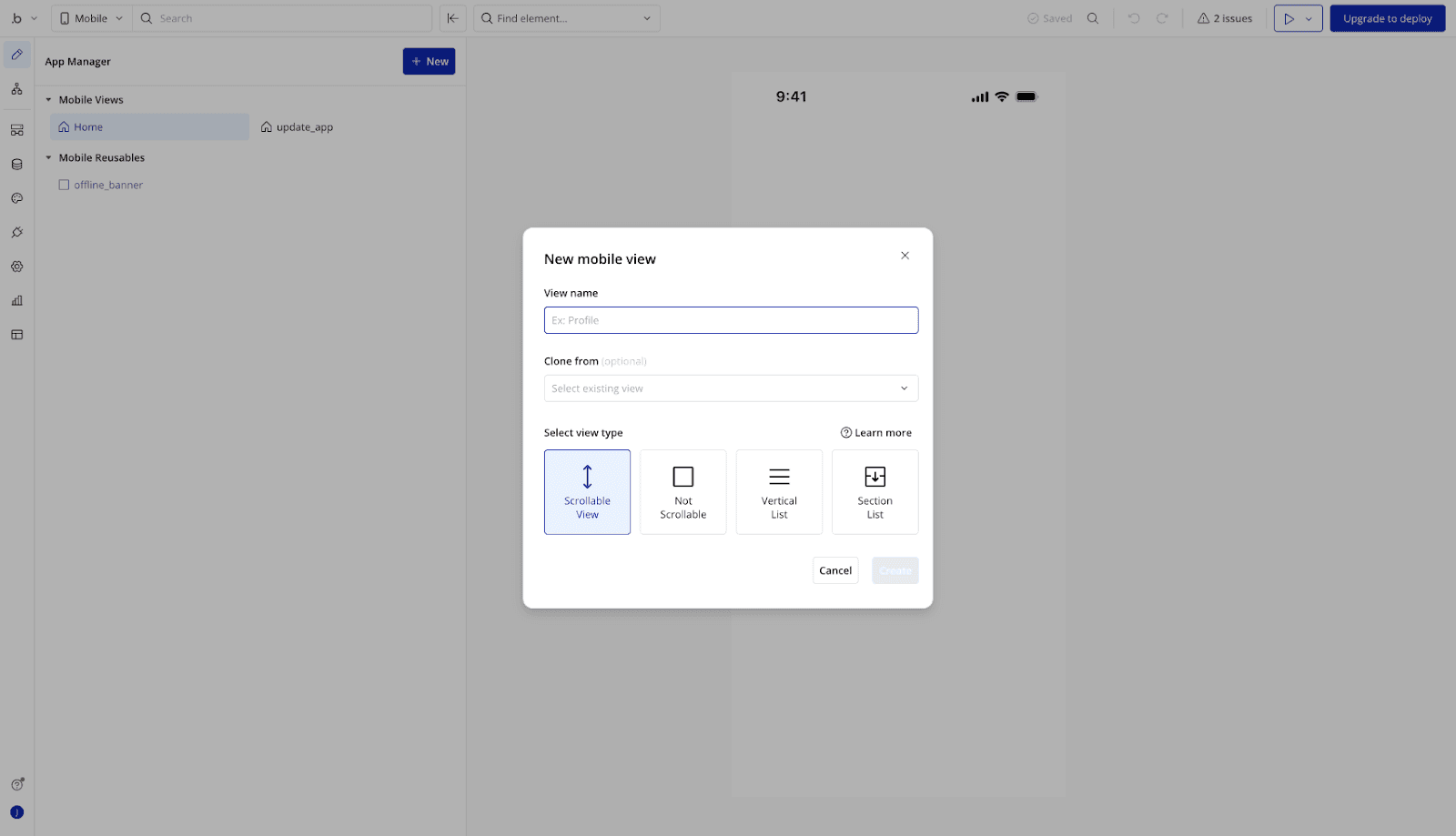
Tips for Clean and Organized Pages
As your Bubble page grows, managing multiple elements gets complex. These habits make working in the editor much easier:
Name your elements clearly: Use descriptive names when adding elements. The Element Picker in the top bar lists all elements alphabetically with thumbnail previews.
Use the Element Tree: Get a clear, nested view of your page structure. Helpful for spotting misaligned groups or buried elements.
Select overlapping elements: Use CMD+click (Mac) or CTRL+click (Windows) to cycle through overlapping elements without disrupting your layout.
Enable X-Ray mode: Makes all elements semi-transparent. Great for spotting structure issues, especially combined with CMD/CTRL+click.
Use the App Search Tool: Locate elements by type or content across the page.
Lock elements you don’t want to move: Use the “Lock this element” option to prevent accidentally shifting headers, tab bars, or reusable elements.
Bugs or Glitches on the Mobile Tab in the Editor?
Using the mobile tab in Bubble’s editor can sometimes surface unexpected behavior. Before reporting a bug:
Reproduce the issue: Confirm the problem happens consistently, not just once.
Check Bubble’s status page: Visit status.bubble.io to see if there are ongoing platform issues.
Review documentation: Some behaviors might be intentional. Check Bubble’s docs or forums to confirm.
Remove external factors: Disable plugins, browser extensions, or custom code. Try testing in incognito mode or a different browser.
When filing a bug report, include clear steps to reproduce the issue, screenshots or recordings, browser and device details, and whether the issue appears in the editor, live builds, or both.
Designing for Mobile
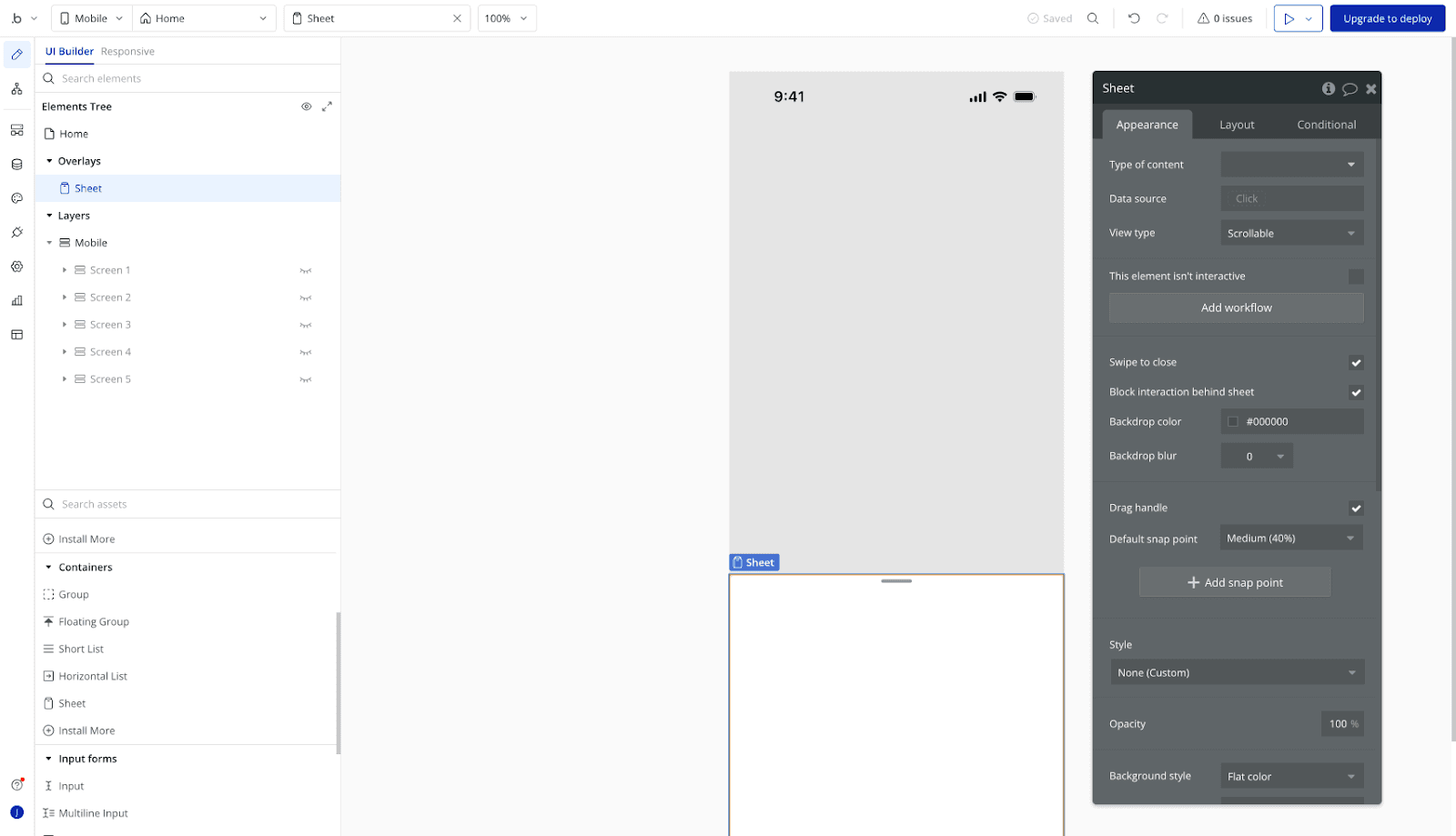
Native Elements That Work Well
These elements behave reliably in the mobile builder and during testing on real devices:
Text and Shape Elements: Simple, responsive, and consistent across platforms.
Buttons: Function well with standard workflows and are easy to style for mobile.
Groups and Floating Groups: Work well for modals, side panels, and tab bars, especially in single-page layouts.
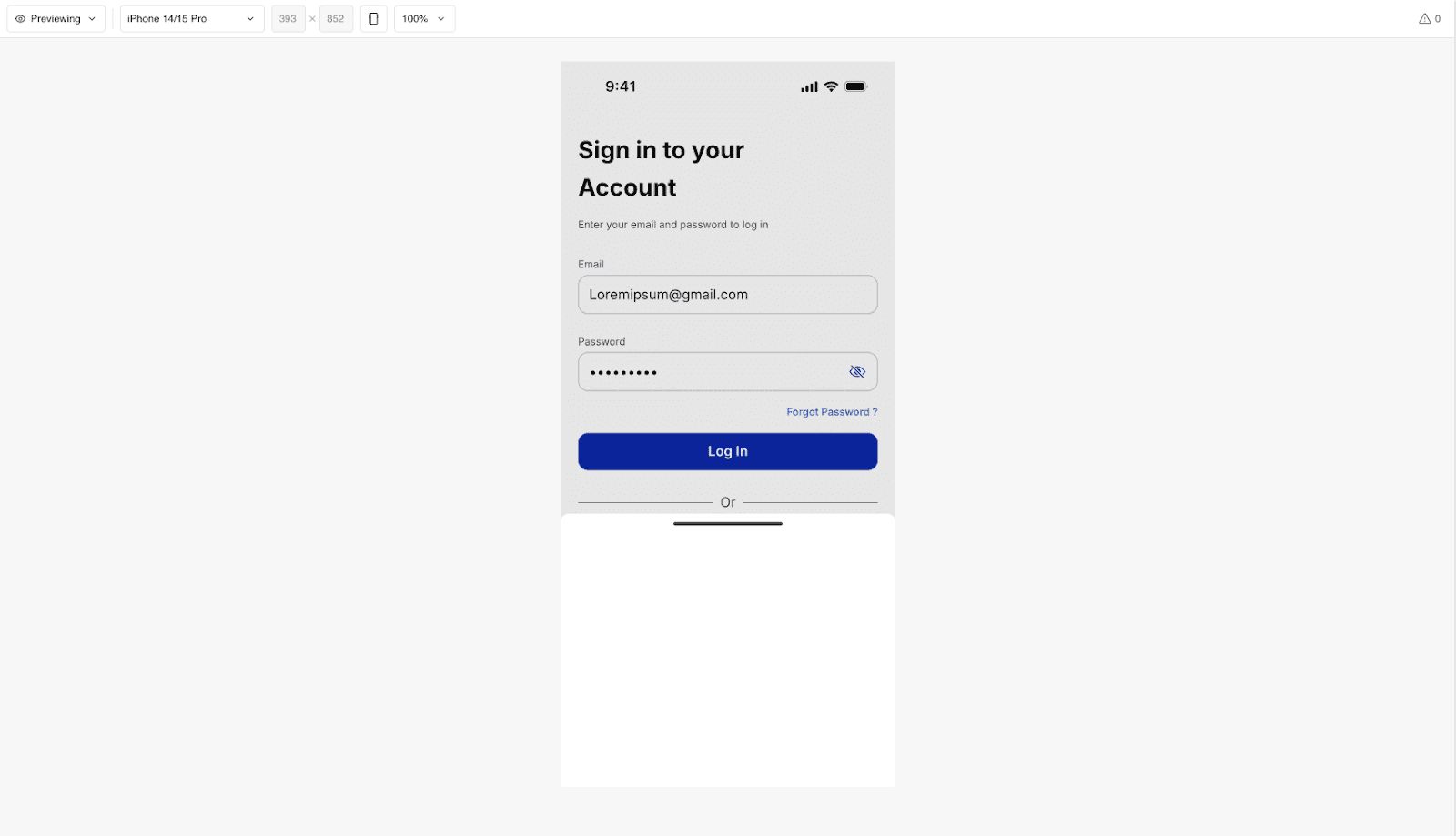
Repeating Groups: Perform well when optimized with limited data and fixed cell height.
Inputs: Generally stable, though some styling may vary between iOS and Android.
Icons: Lightweight and render consistently across devices.
Elements That Can Be Buggy or Inconsistent
These may require extra testing, adjustments, or workarounds:
Dropdowns: Often behave inconsistently on mobile, especially with dynamic data.
Slidable or swipe-based plugins: Gesture support is still improving. Some swipe elements may conflict with native navigation.
Custom scroll workflows: Scroll position detection can be unreliable on mobile devices.
Calendar or Date/Time Pickers: Can render awkwardly depending on browser and OS.
Embedded HTML / iFrames: May not resize correctly or can interfere with tap gestures.
Quick Tips for Mobile Design
Always test on real devices using BubbleGo or your wrapper preview
Stick to simple, native-style interactions where possible
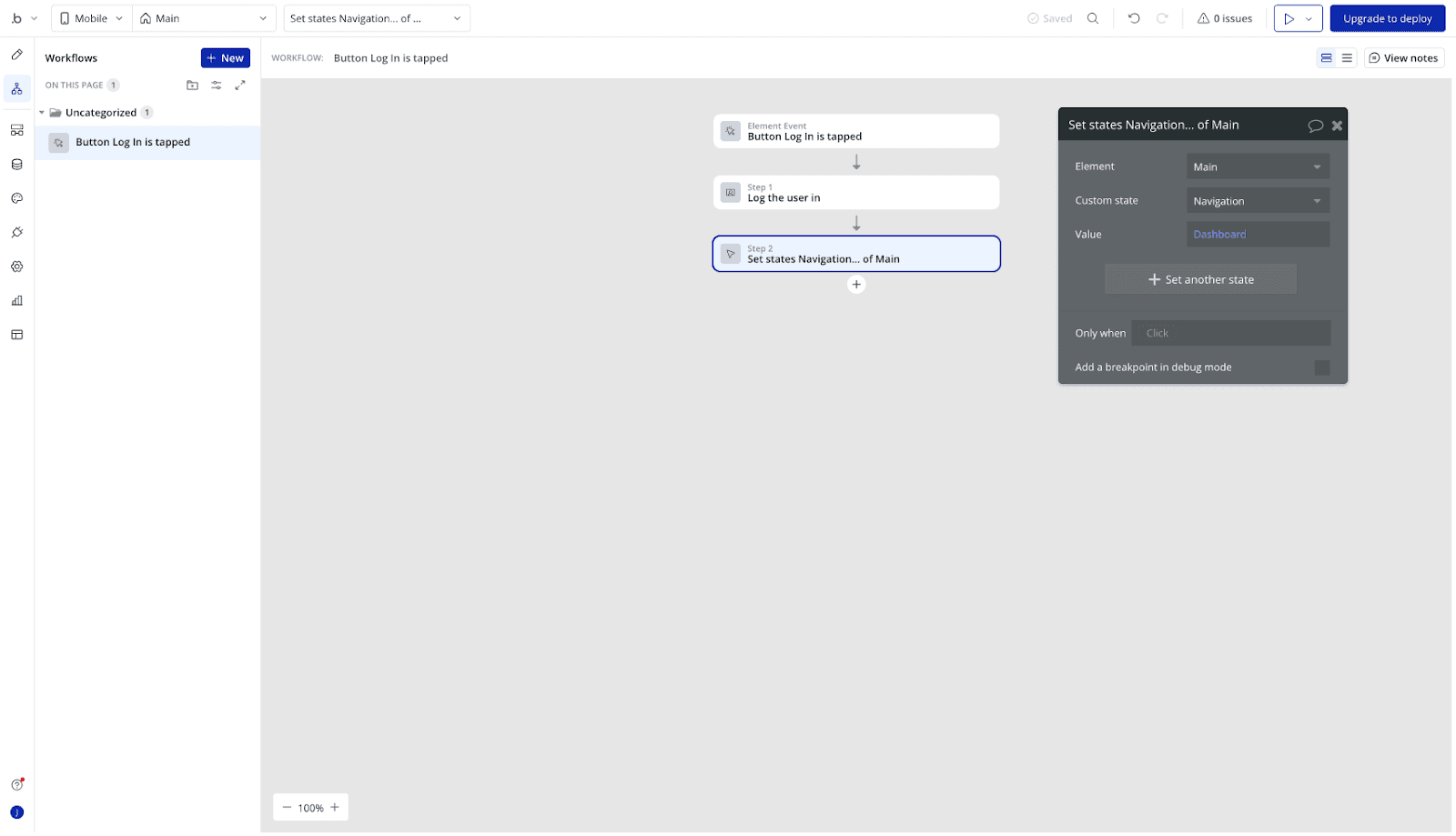
Use custom states and single-page layouts to reduce reload issues
Avoid hover states or interactions that rely on cursor input
Navigation Logic in Bubble’s Native Mobile Builder
Smooth navigation is critical for a good mobile experience. Start with a single-page layout and use Bubble’s built-in navigation elements properly.
Use a Single-Page Structure
In native mobile apps built with Bubble, keep all your views on a single page using stacked groups that show and hide based on user actions or URL parameters. This creates a faster, more seamless experience.
Place view groups directly on top of each other
Use “Collapse when hidden” to allow groups to switch cleanly
Leave “Animate collapse” unchecked for instant transitions
Control visibility using custom states or conditions
Top App Bar (Navigation Header)
The Top App Bar appears at the top of each view and displays the page title and optional icons.
Title: Set dynamically or override with static text
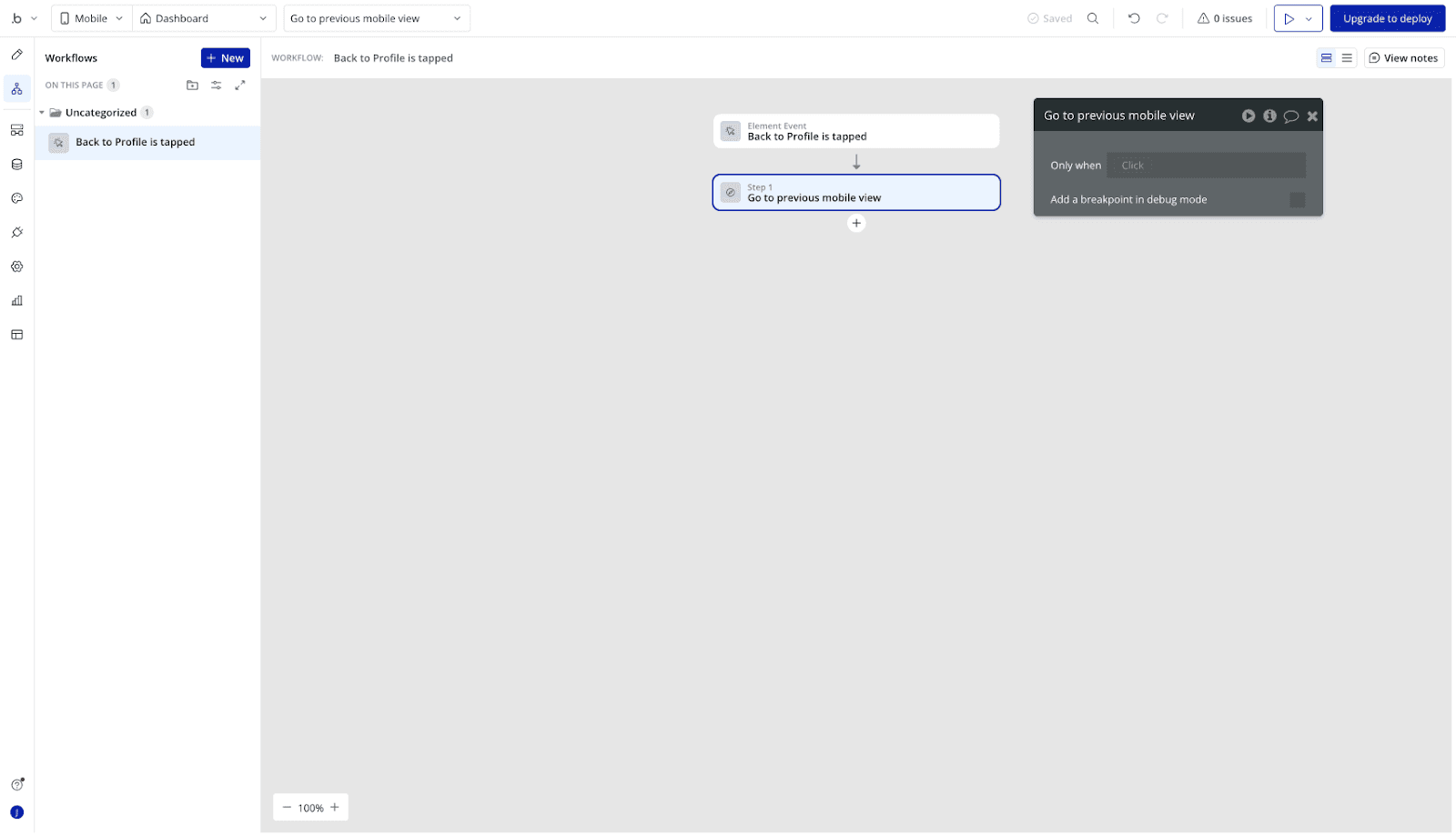
Back Button: Automatically navigates to the previous view in the stack
Override Label: Use if you want a custom label instead of the previous view’s title
Leading/Trailing Buttons: Add icons for navigation or actions, connected to workflows
Back Button Behavior
On iOS: Navigates back through the view stack (hierarchical)
On Android: Follows system logic (dismisses overlays or steps back through views)
Tab Bar (Bottom Navigation)
Use the Tab Bar to switch between key sections of your app.
Enable a view as a tab item in its property editor
Customize icons, labels, and conditions for visibility
Active tab is automatically highlighted
Best for apps with 3–5 primary views
Deep Linking & App Schemes
If you need deep linking (e.g., opening a specific screen from a notification or external link), define a custom app scheme.
Format:
appname(lowercase, alphanumeric, hyphens or periods allowed)Only set this if your app explicitly requires it. Otherwise, Bubble handles it automatically
Status Bar Settings
You can choose to hide the status bar for a full-screen experience, removing system info like time or battery from the top of the screen. Always test navigation on real devices to catch issues with back button behavior, tab switching, or stacked group visibility.
Building Workflows
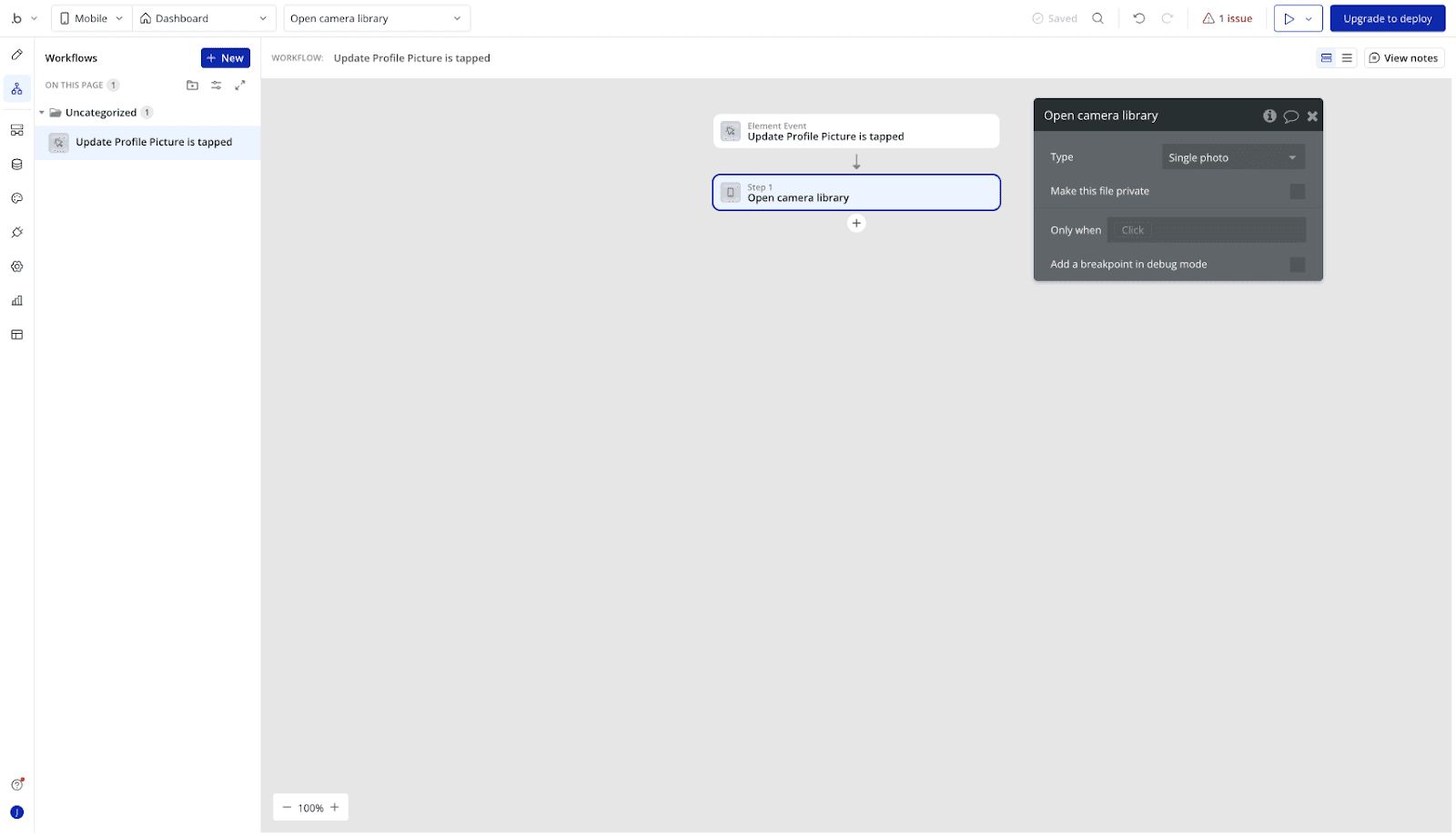
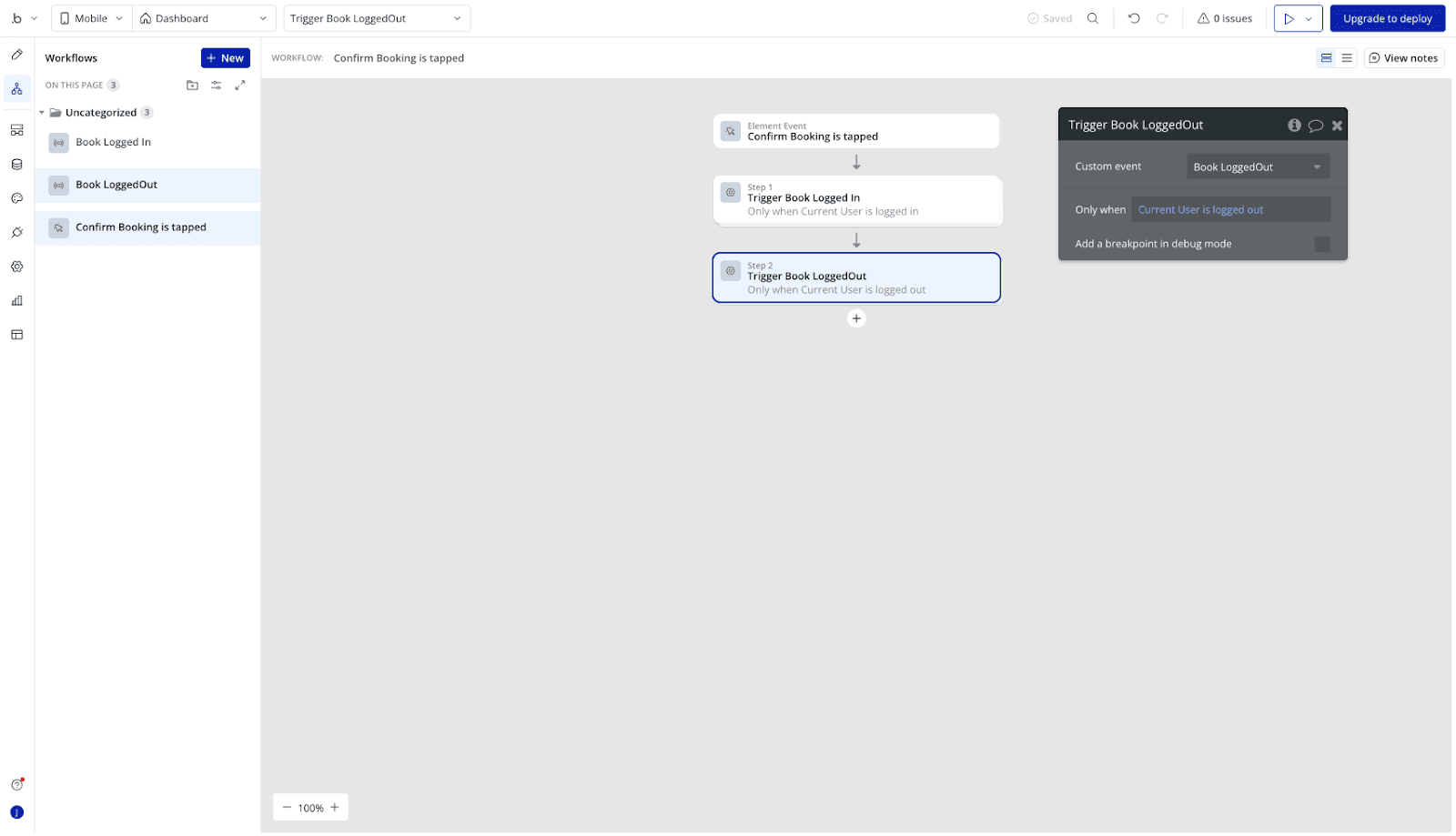
Add mobile-specific workflows like push notifications or swipe gestures
Use conditional logic to adapt workflows based on device or app state
Watch for occasional broken triggers or UI state conflicts on mobile
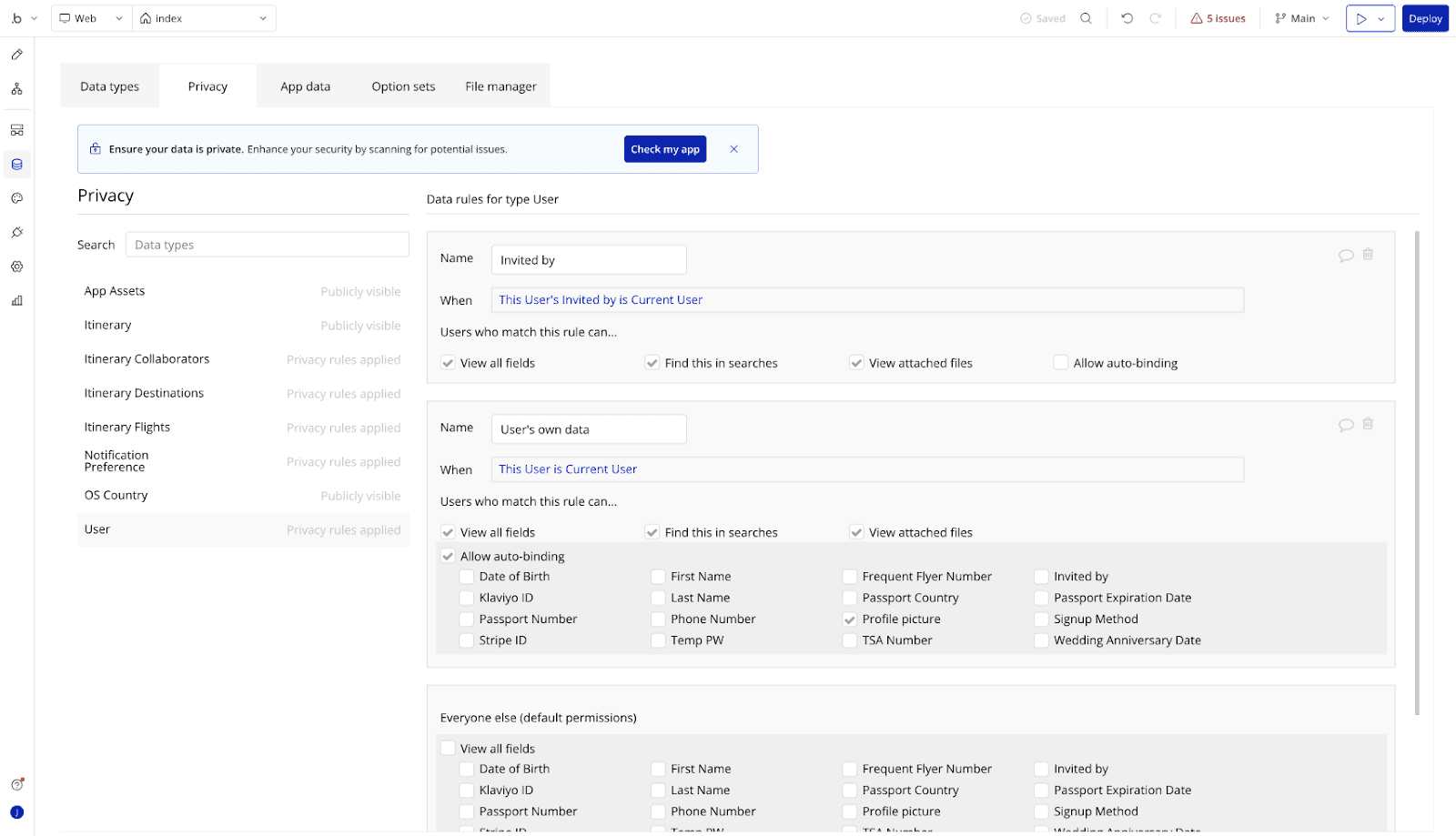
Database and Performance
Optimize queries to reduce load times on mobile networks
Implement privacy rules carefully to avoid slowdowns or data leaks
Avoid overloading repeating groups or running heavy backend workflows on mobile
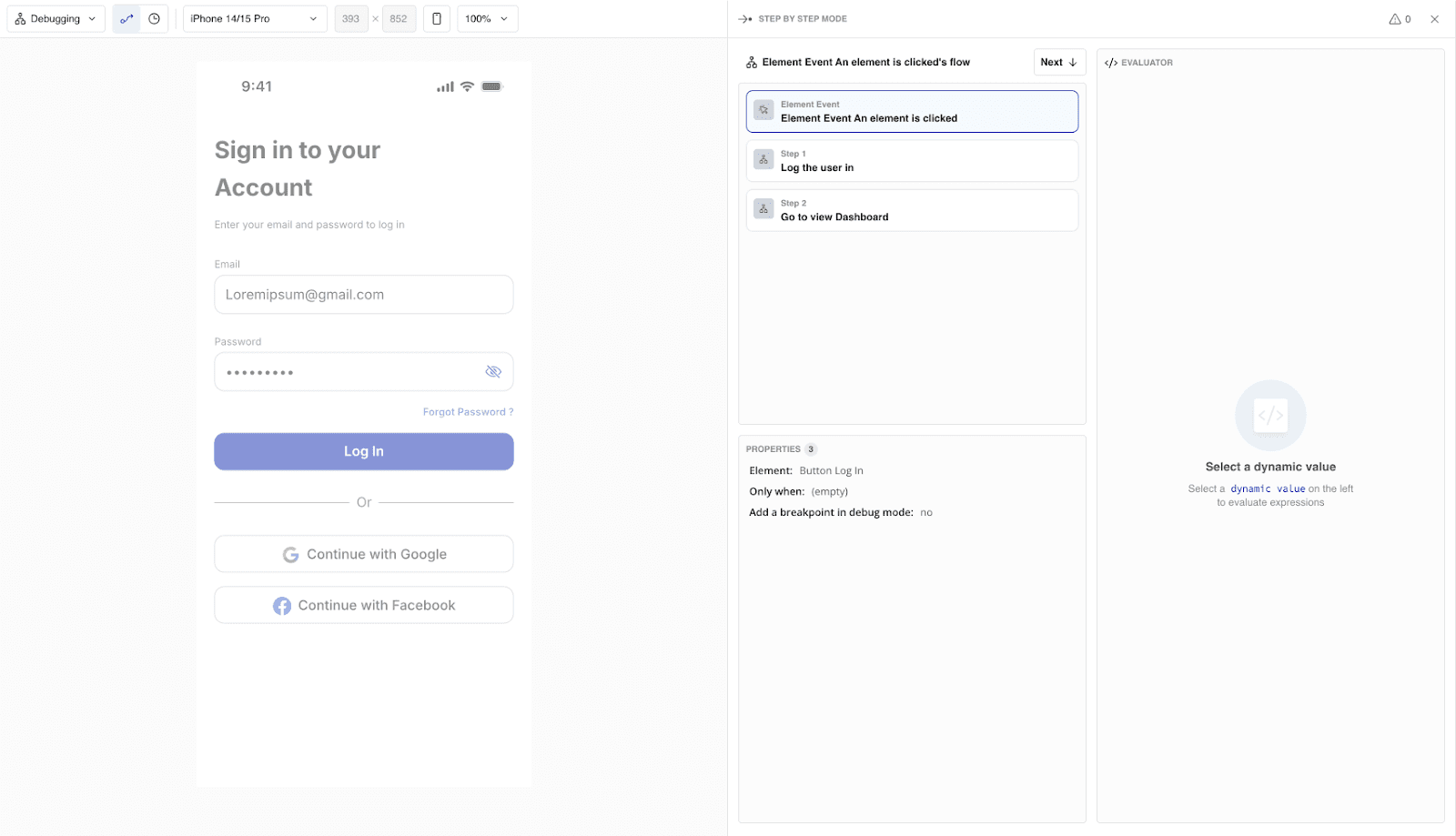
Testing & Debugging
Use BubbleGo or similar tools for live device testing
Keep a checklist for debugging: console logs, preview mode testing, device-specific bugs
Document and reproduce bugs found on real devices to fix them effectively
Publishing
Export your build directly from Bubble’s native builder interface
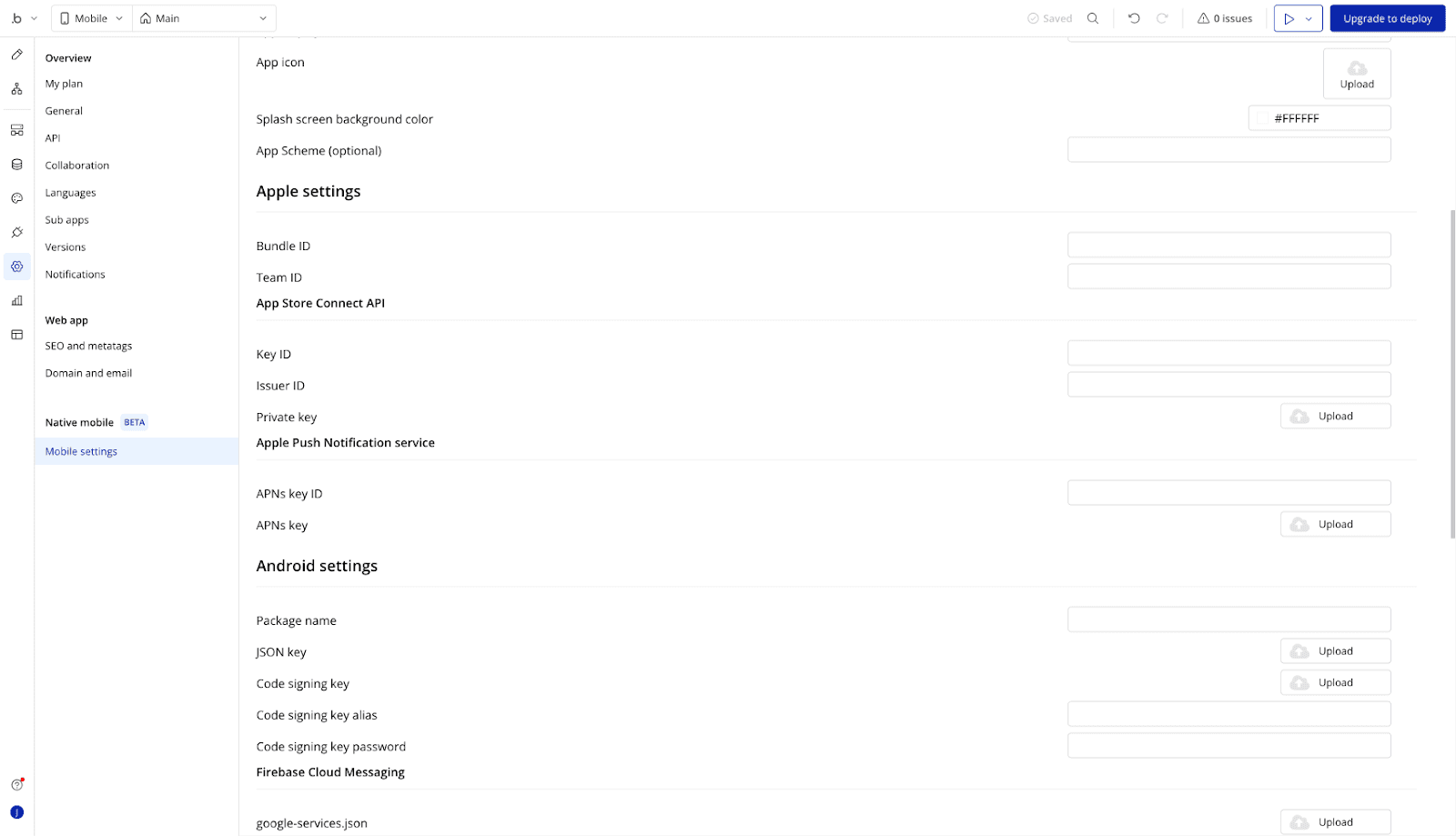
Follow App Store and Google Play submission steps carefully. Read guidelines to avoid common rejections.
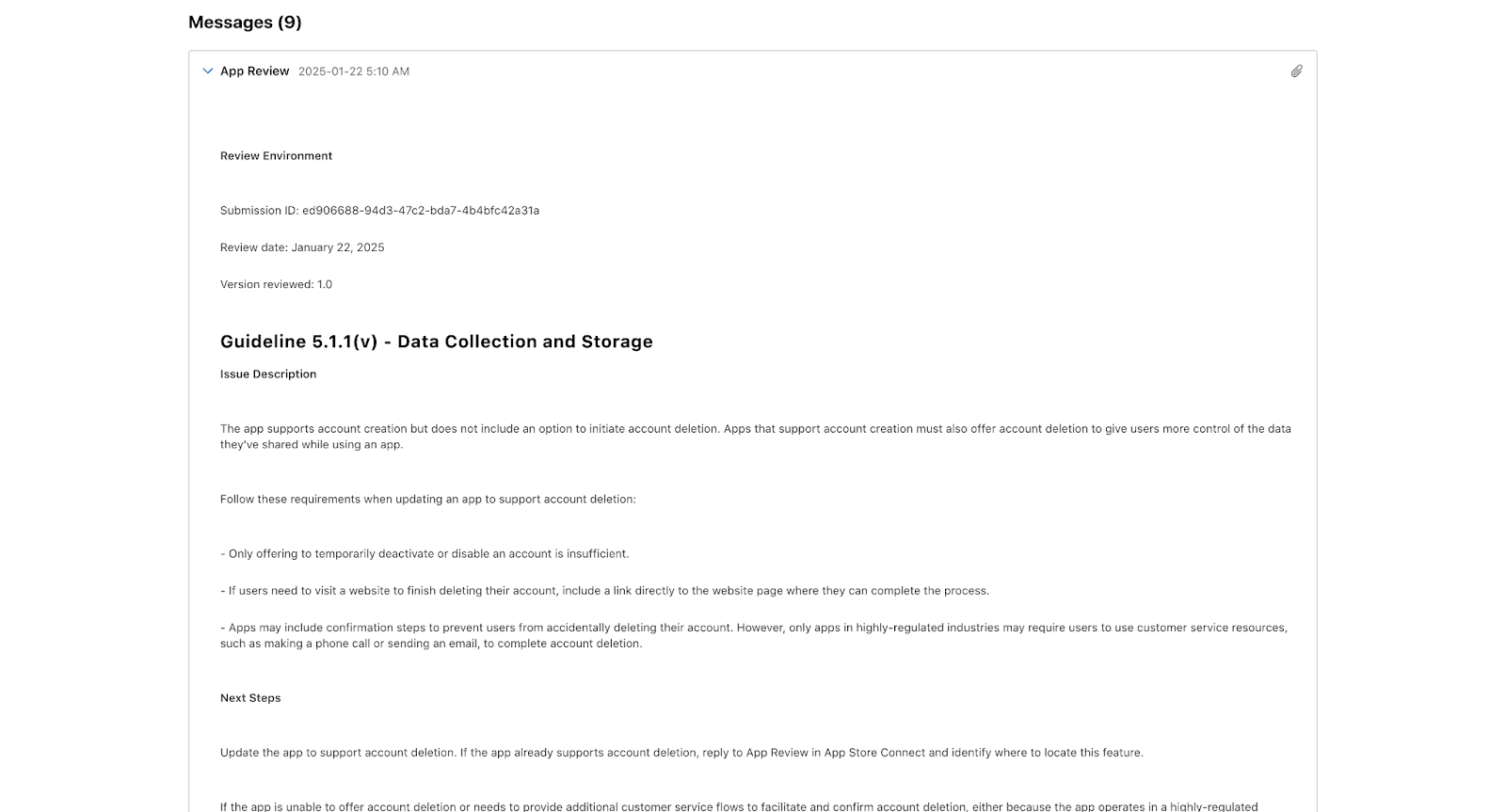
Be prepared for initial build failures or metadata issues and have a plan to iterate quickly
Bubble Plugins and No-Code Extensibility
One of Bubble’s greatest strengths is its plugin ecosystem, with over 6,500 plugins available in the marketplace.
Plugins let you add advanced native features to your mobile app without writing code: camera access, location services, push notifications, payment processing, and connections to third-party APIs.
Bubble’s no-code approach ensures that both developers and non-technical users can enhance their apps with powerful features. Browse the plugin marketplace, install the tools you need, and configure them directly within your app’s editor.
The platform handles the underlying code and device compatibility, so you can focus on the user experience.
Option B: Wrapping Your Bubble App
What It Is
Wrapping your app means placing your Bubble application inside a native mobile shell using a WebView. Tools like Natively, MobiLoud, and BDK handle the technical details: push notifications, native UI elements, and App Store submission. You continue building your app in Bubble while the wrapper provides the native shell.
How It Works
You create a fully responsive Bubble web app, then use a wrapper service to package it as a mobile app. The result is a native installable app that loads your web content inside a native container. These services can also add features like push notifications, tab bars, and deep linking.
Pros and Cons
User Type | Pros | Cons |
Beginners | Fast to set up and launch. No major changes needed to your existing app. | Limited access to native hardware features. UI may feel like a mobile website if not fully optimized. |
Advanced Users | Useful for MVPs, internal tools, and pilot testing. Some wrappers allow native add-ons (push, tabs, share sheets). | Performance depends on connection speed and app complexity. No offline mode without a PWA fallback. |
Build Natively vs BDK Native: Which Wrapper?
If you have spent any time in the Bubble forums, you have seen this debate. Both Build Natively and BDK Native are popular wrapper tools for packaging Bubble apps as native mobile apps, but they serve different needs.
Build Natively focuses on simplicity and speed. It handles the build process, push notifications via OneSignal, and App Store submission with minimal configuration. It is well suited for teams that want a hands-off publishing workflow.
BDK Native leans more toward plugin-based extensibility. It gives you more granular control over native features and is better suited for apps that need deeper hardware integration or custom native behaviors beyond what a standard wrapper provides.
For most Bubble apps that just need a reliable presence in the App Store and Google Play, Build Natively is the faster path. If your app requires more native customization, BDK Native gives you that flexibility at the cost of more configuration work.
Mini Tutorial: Wrapping with Natively
1. Prepare Your Bubble App
Use Bubble’s responsive engine to ensure layouts adjust on smaller screens
Follow a single-page app structure for smooth transitions
Set a mobile viewport in Settings > SEO/meta tags
2. Set Up With Natively
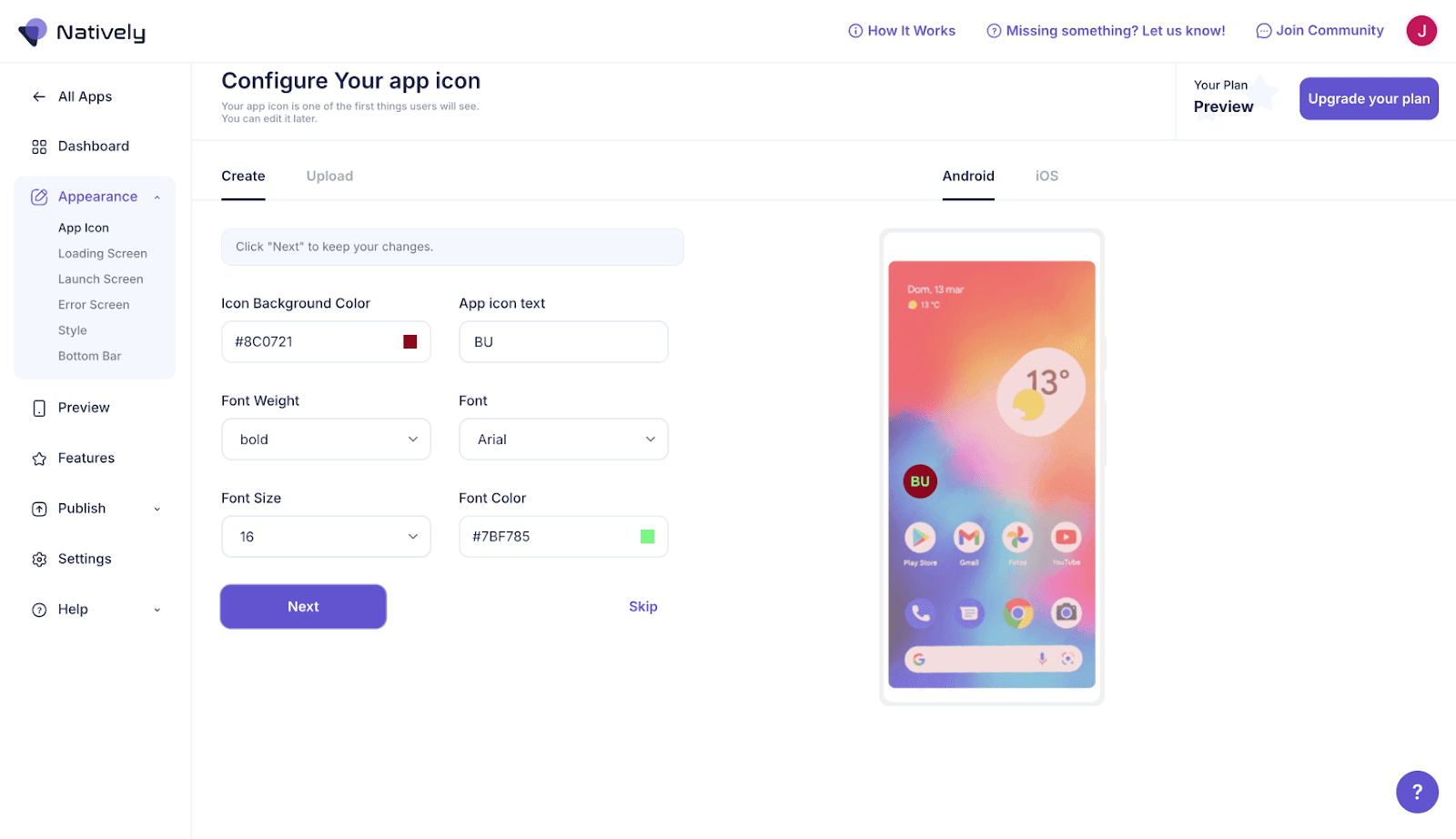
Visit the Natively platform and create an account. Enter your app’s Bubble URL and upload branding assets (app icon, splash screen).
3. Add Optional Features
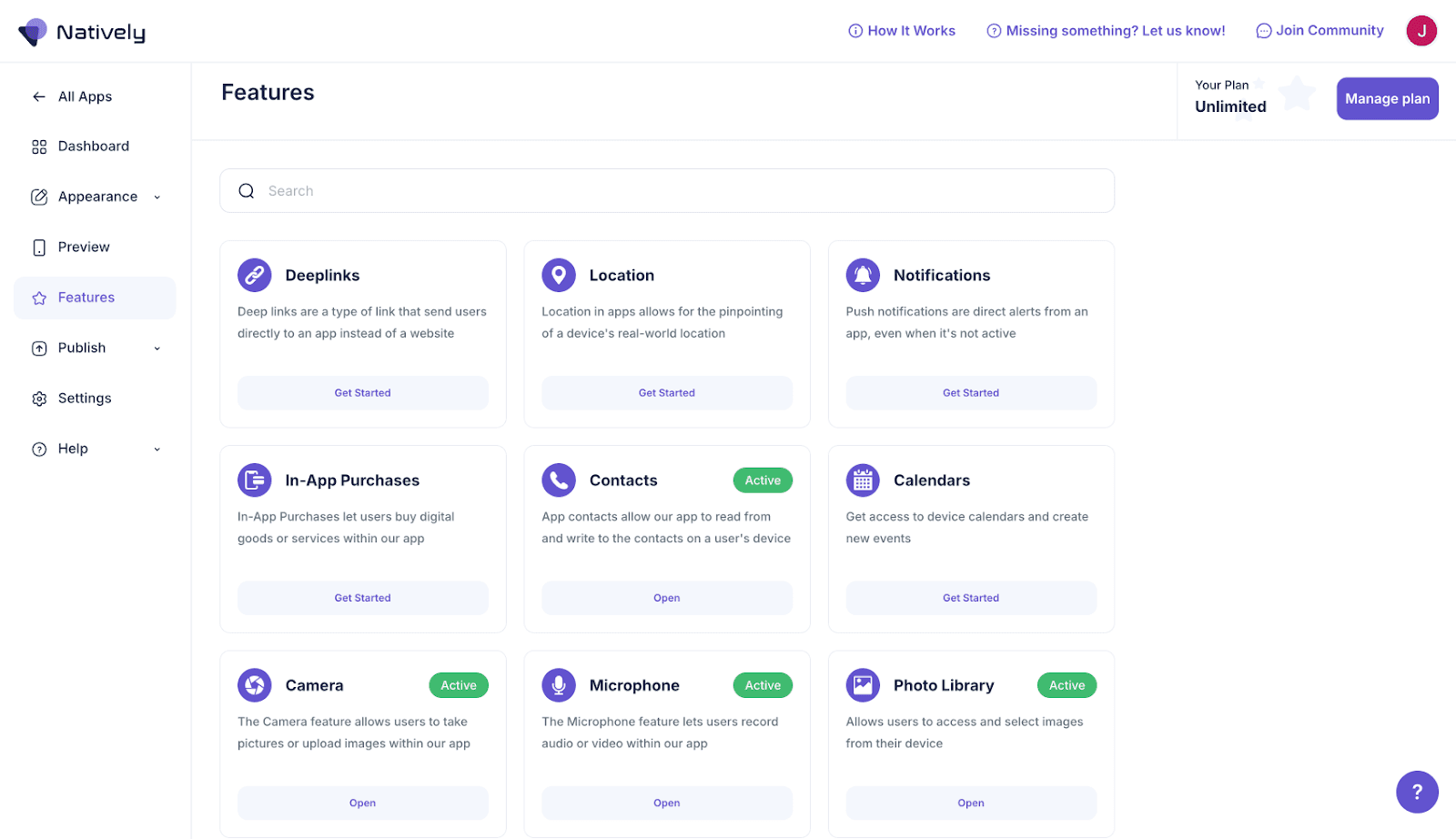
Set up push notifications using OneSignal. Configure native tab bars and navigation. Enable deep links or external app linking.
4. Submit to App Stores
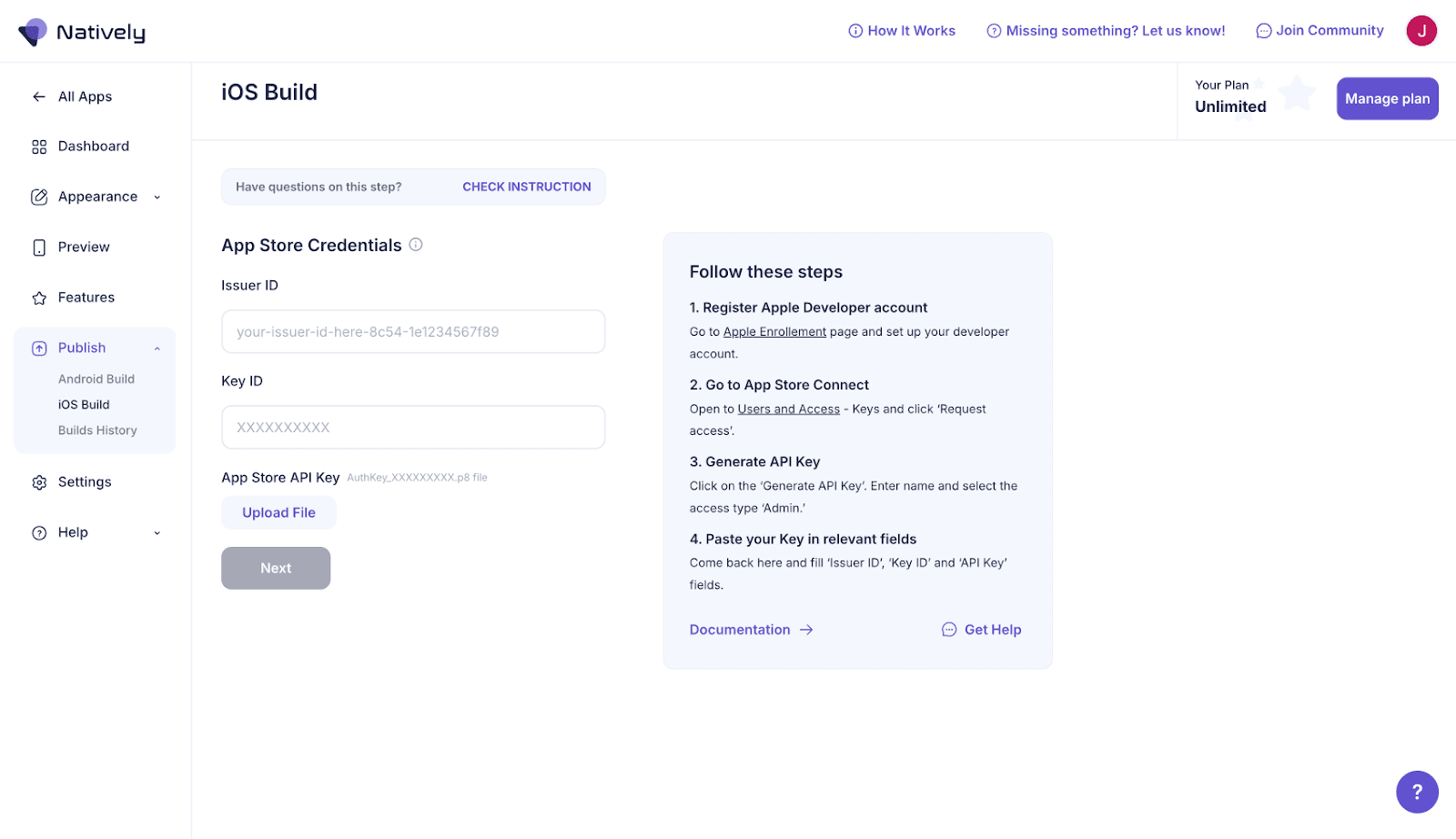
Natively can manage the publishing process or send you build files. Use App Store Connect and Google Play Console to complete submission.

Recommended Tools
Tool | Description |
Mobile wrapper with push notifications, tab bars, and build automation | |
White-glove service for publishing web apps as native apps | |
Wrapper with plugin-based native support | |
Push notification service for both native and wrapped apps | |
For planning mobile layouts and wireframes before building | |
For managing in-app purchases and subscriptions |
How Much Does It Cost to Build a Bubble Mobile App?
Here is a realistic cost breakdown for launching a mobile app with Bubble in 2026:
Expense | Estimated Cost |
Bubble Web Plan (Starter, annual) | $29/month |
Bubble Mobile or Web+Mobile Plan | $42–$549/month (varies by tier) |
Apple Developer Account | $99/year |
Android Developer Account | $25 one-time |
Natively (wrapper option) | Starting at $5/month |
Mobile development course (optional) | $69 one-time |
For teams that want expert support, our Bubble development services start at $5K+ (typically $10–50K+ depending on scope). Our team handles everything from architecture to App Store submission.
Decision Checklist: Native vs Wrapper
Deciding between Bubble’s native mobile app builder and a wrapper depends on what you are building, how soon you need to launch, and what kind of experience your users expect.
Choose the Native Mobile Builder if:
You need to publish to the App Store or Google Play with proper compliance
You want access to native features like gestures, push notifications, or offline support
You are building a long-term product that will evolve beyond MVP stage
You are comfortable with a builder still under active development
Choose a Wrapper if:
You already have a responsive web app built in Bubble
You need to launch quickly, especially for internal use or validation
Your app does not rely heavily on native hardware or offline features
You are prioritizing speed and simplicity over full native performance
Questions Your Team Should Ask Before Committing
Timeline: Do you need something live in weeks, or are you building for the long haul?
User expectations: Will users expect a polished native experience, or is a responsive wrapper enough?
Native features: Do you need push notifications? Camera access? Offline mode?
Iteration speed: Will you ship weekly updates or maintain the app lightly?
Technical comfort: Can your team manage mobile-specific UI quirks, testing, and store submissions?
Future scale: Do you plan to grow the app’s mobile experience? Investing in the native builder early may save time later.
Your Bubble Mobile App Starts Here
You have the information. You understand the trade-offs. Now it comes down to execution.
Bubble’s native mobile app builder gives you a real path to native iOS and Android apps without writing code.
Wrappers give you a fast lane to the App Store when you need to validate first and refine later. Both work. The wrong choice is not picking one or the other. The wrong choice is staying in research mode while your window closes.
Here is what we know from building over 200 Bubble products: the teams that launch successfully are not the ones who found the perfect approach.
They are the ones who committed to a direction, moved fast, and had the right support when things got complicated. Because they always get complicated.
That is where we come in. Goodspeed is Bubble’s 2024–2025 Agency of the Year, a Gold Certified Partner, and we maintain a 5.0-star rating on Clutch across every engagement.
Our Bubble agency has helped teams like Pockla go from idea to funded startup, and GetAIWay from internal tool to production platform serving thousands of users daily.
We handle the architecture, the mobile build, the App Store submission, and the inevitable edge cases that no tutorial covers.
You do not need to figure this out alone. Book a free consultation and tell us what you are building. We will map out the fastest path from where you are now to a live mobile app in your users’ hands.

Harish Malhi
Founder of Goodspeed
Harish Malhi is the founder of Goodspeed, one of the top-rated Bubble agencies globally and winner of Bubble’s Agency of the Year award in 2024. He left Google to launch his first app, Diaspo, built entirely on Bubble, which gained press coverage from the BBC, ITV and more. Since then, he has helped ship over 200 products using Bubble, Framer, n8n and more - from internal tools to full-scale SaaS platforms. Harish now leads a team that helps founders and operators replace clunky workflows with fast, flexible software without writing a line of code.
Frequently Asked Questions (FAQs)
Can I build a mobile app with Bubble?
Yes. Bubble offers two paths: its native mobile app builder for fully native iOS and Android apps, or third-party wrappers like Natively to package your web app for app stores. Both can get you live on mobile.
What are the two main ways to build a mobile app with Bubble?
The two approaches are Bubble’s native mobile app builder (uses React Native to create true native apps) and wrapping your Bubble web app using tools like Natively, MobiLoud, or BDK.
How much does it cost to make a Bubble mobile app?
Bubble web plans start at $29/month. Mobile plans start at $42/month. You also need an Apple Developer account ($99/year) and an Android Developer account ($25 one-time). Wrappers like Natively start at $5/month.
Is Bubble good for building apps?
Bubble is excellent for SaaS platforms, marketplaces, internal tools, and mobile apps. It has helped build over 6 million web applications and now supports native mobile development with its React Native-based builder.
When should I choose Bubble’s native mobile app builder over a wrapper?
Choose the native builder if you need App Store compliance, native gestures, push notifications, or offline support. Choose a wrapper if you already have a responsive web app and need to launch quickly.
What kind of apps can I build with Bubble?
Bubble supports SaaS platforms, marketplaces, CRMs, internal tools, educational platforms, social networks, and mobile apps. It is ideal for MVPs through to production-scale products.
Does Bubble’s native mobile app builder support push notifications?
Push notifications are available through plugins like OneSignal. Native push notification support is on Bubble’s roadmap and expected to deepen as the builder matures beyond its current beta phase.
What apps have been built on Bubble?
Over 6 million web apps have been built on Bubble, including SaaS products, marketplaces, and business tools. Companies we work with at Goodspeed have launched funded startups and scaled platforms entirely on Bubble.