
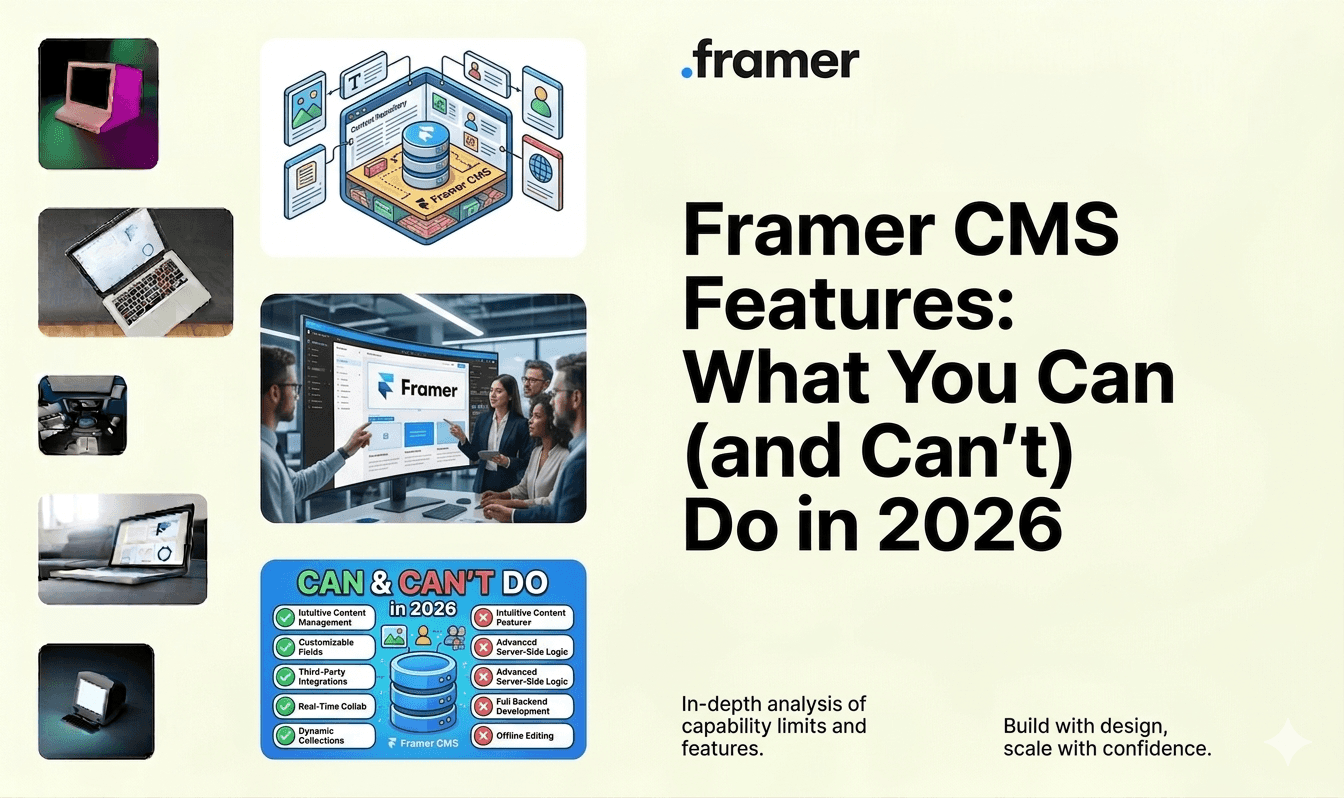
TL;DR: What Framer’s CMS can and can’t do in 2026
Manage blogs, case studies, team pages, and product listings without plugins or external services using Framer’s built-in CMS and dynamic page templates.
Define structured collections with text, image, link, date, color, and boolean fields, then connect them to your design through visual content binding.
Take advantage of the 2025-2026 updates: relational CMS for linked collections, on-page editing in the browser, and AI-assisted content drafting.
Plan around the real limits: no multilingual CMS, no API access, no version history on entries, plan-tier item caps, and limited field types compared to headless platforms.
For complex multilingual or API-driven operations, pair Framer with a headless CMS; explore marketing-site builds or past Framer projects for examples.
TL;DR: Framer CMS Features in 2026
Framer has a built-in CMS with collections, dynamic pages, rich text fields, and image management. No plugins or third-party CMS required
Collections work like simple databases: define fields (text, image, link, date, color, boolean), create entries, and connect them to your design with dynamic content binding
New in 2025-2026: relational CMS (connect collections to each other), AI content features, and on-page editing for faster updates
Limitations: no multilingual CMS, limited field types compared to full CMSs like WordPress, CMS item limits on lower plans, and no version history for CMS entries
At Goodspeed, we build Framer sites with structured CMS collections for blogs, portfolios, team pages, case studies, and product listings. For complex content operations, we pair Framer with an external headless CMS
If you want to try Framer yourself, create a free account here.
What Is CMS in Framer?
Framer’s CMS (Content Management System) is a built-in feature that lets you create, organize, and display dynamic content on your Framer website without writing code or connecting a third-party service.
Think of it as a simple database attached to your website. You create Collections (like categories of content), define Fields within each collection (title, description, image, date, link), and then connect that data to your page design. When you add or update a CMS entry, the website updates automatically.
Common use cases: blog posts, team member profiles, case studies, product listings, job openings, FAQ pages, and portfolio items. Instead of creating a separate page for each piece of content, you create one template page and Framer generates individual pages for every CMS entry.
Unlike WordPress or headless CMSs like Contentful, Framer’s CMS is tightly integrated with the design tool. You design and manage content in the same environment. There is no separate admin panel, no database to configure, and no plugins to install.
Book a free consulting call with Goodspeed
Need a Framer website with a CMS your team can actually use? We design sites with structured CMS collections, clean content workflows, and layouts that update automatically. Book a free consultation.
Framer AI CMS Features: What’s New in 2025-2026
The AI-powered website builder market is projected to grow from $3.17 billion in 2023 to $31.5 billion by 2033, according to Market.Us. Framer’s integrated CMS with AI content features positions it at the intersection of website building and content management. Framer has been integrating AI across its platform, and the CMS has benefited from several updates.
AI-assisted content generation: Framer’s AI can help draft CMS entries, suggest copy variations, and generate placeholder content for new collections. This speeds up content creation for teams that need to populate pages quickly.
Relational CMS: One of the most requested features, relational CMS lets you connect collections to each other. For example, linking blog posts to authors, or products to categories, without duplicating data. This reduces maintenance and keeps content consistent across your site.
On-page editing: Introduced in late 2025, on-page editing lets you update CMS content directly in the browser on your published site. Click on any CMS-powered element, edit the text or swap an image, and publish the change. No need to open the Framer editor.
These updates move Framer’s CMS closer to what teams expect from a modern content platform, while keeping the simplicity that makes Framer accessible to non-technical users.
Book a free consulting call with Goodspeed
Want to take advantage of Framer’s latest CMS features? Our team stays current with every Framer update and can set up your CMS for maximum efficiency.Talk to us.
1. Why Framer’s CMS Matters for Non-Tech Users
Keeping a website fresh with up-to-date content is essential for engagement and search rankings. However, many non-technical users struggle with traditional CMS platforms that require plugins, manual coding, or constant developer support. Framer changes the game by offering a streamlined, no-code solution that puts content management back into the hands of creators.
For many teams, making even a minor content update can be an ordeal. Common pain points include:
Developer Dependency: Traditional platforms often require developer intervention, delaying time-sensitive updates.
Limited Autonomy: Many non-technical users avoid CMS platforms altogether due to complicated dashboards and rigid templates.
These challenges slow down execution, leaving businesses at a competitive disadvantage. That’s why an intuitive CMS is not just a convenience-it’s a necessity.
2. Core Framer CMS Features
Framer’s CMS is built for efficiency, enabling users to manage content visually without touching code. Its drag-and-drop editing, structured data collections, and easy media management make it a powerful tool for non-technical teams.
Visual Content Editing
Framer lets you edit content directly on the page. Drag and drop to rearrange sections, click to update text, and swap images without opening a separate backend. Every change is visible in real time before you publish. For more on this workflow, see our guide on how non-tech teams update Framer websites.
Dynamic Data Collections
For businesses managing recurring content, Framer’s CMS Collections make it easy to structure and reuse data across pages. You can:
Create structured content types: For blogs, team profiles, case studies, and product listings.
Auto-Populate Pages: Update information in one place, and see it reflected across your site.
For example, Formula Bot leveraged Framer CMS to build dynamic product pages with Goodspeed, integrating interactive videos and feature explanations-contributing to better engagement and conversion rates.
For teams looking to create structured content blocks with custom styling, learning how to customize Framer templates can help maintain visual consistency across dynamic pages.
Easy Media Management
Managing images and assets is often cumbersome in traditional CMS platforms, but Framer streamlines this process with:
A Centralised Asset Library: All media files are stored in one place for easy access.
Quick Replacements: Swap out visuals without breaking page layouts.
For enhanced speed performance, explore our specialized Framer speed optimization services to further boost site load times.
With optimized media handling in Framer CMS, users can maintain a lightweight yet visually rich experience. For best practices on keeping images high-quality yet fast-loading, check out our guide on optimizing images and assets in Framer.
Book a free consulting call with Goodspeed
Evaluating whether Framer’s CMS fits your content needs? We have built Framer sites forblogs,product pages, and enterprise sites.Let’s discuss your requirements.
3. Step-by-Step: Managing Content in Framer’s CMS
Framer’s CMS is built for ease of use, allowing teams to make updates without technical barriers. Whether you’re adding new content, editing existing entries, or publishing changes, the process is seamless and intuitive.
Setting Up a Collection
Collections in Framer CMS act as structured databases for content types like blog posts, case studies, team members, or product listings. Here’s how to create one:
Define Your Fields: Set up content parameters such as title, description, images, and tags.
Assign the Collection to a Page: Bind your dynamic content to Framer’s layout components, ensuring a consistent design.
Editing Existing Entries
One of the standout Framer CMS features for content management is its ability to update content without disrupting the site’s design. You can:
Edit Inline: Modify text, images, and links directly on the page.
Track Changes with Version History: Quickly revert to previous versions in case of accidental edits.
With Framer CMS, non-tech users can make real-time updates effortlessly, ensuring that content remains fresh without relying on developers.
Book a free consulting call with Goodspeed
Publishing & Previewing Changes
Once your edits are in place, Framer makes publishing seamless with:
Preview Mode: View updates on different screen sizes before going live.
Instant Publishing: No deployment required. Changes reflect in real time.
Unlike traditional platforms that require scheduled releases, Framer allows businesses to react quickly to market changes.
Publishing updates instantly is crucial, but ensuring these updates align with search engine guidelines is just as important. Learn how to implement SEO best practices in Framer to maximize your site’s visibility.
You can sign up for Framer and start building CMS-powered pages on the free plan.
4. Use Cases & Benefits for Non-Tech Teams
Framer CMS, supported by our expertise as a dedicated Framer agency, empowers marketing teams, startups, and creators to execute ideas faster. Below are some practical use cases where Framer’s CMS offers clear advantages.
Launching a Blog or News Section
For businesses that rely on frequent content updates, a blog can drive traffic and build authority. Framer CMS enables:
Ongoing Content Publishing: Marketers can create and update posts independently.
Brand Consistency: Custom components ensure that blog layouts remain visually aligned with the site.
Team & Portfolio Pages
For startups and agencies, keeping portfolio pages updated is essential, yet many platforms make this process complex. Framer for non-tech users simplifies the workflow, allowing teams to manage case studies and team bios effortlessly. With Framer CMS, you can:
Quickly Update Team Pages: Add new team members and update bios with ease.
Showcase Portfolio Projects: Maintain a structured case study library that highlights expertise and results.
Product Pages & E-Commerce Lite
E-commerce businesses often need to tweak pricing, update product descriptions, or launch new product lines. With Framer CMS, you can:
Make Quick Adjustments: Update product specs and pricing in seconds.
Scale Without Rebuilding: Add new product categories without needing developer intervention.
Considering that a one-second delay in page load time can reduce conversions by up to 7%, Framer’s built-in pre-rendering capabilities help ensure that product pages load quickly, keeping bounce rates low.
Considering that page speed directly impacts conversions, optimizing performance should be a top priority. Our in-depth guide on boosting Framer template speed can help you achieve faster load times.
5. Overcoming Common Challenges
Even the most intuitive CMS platforms require best practices to maximize efficiency. Framer CMS helps users avoid common pitfalls with smart structuring, performance-focused design, and strategic integrations.
Structuring Collections Effectively
To prevent content disorganisation, follow these best practices when setting up CMS collections:
Plan Fields in Advance: Define key data points like headings, descriptions, and categories before creating a collection.
Use Clear Naming Conventions: Ensure consistency across content fields for easy updates.
Handling Large Volumes of Content
Managing large datasets within a CMS can become overwhelming. Framer simplifies this by:
Using Tags & Categories: Organize content for easy navigation.
Leveraging Bulk Uploads: Import data efficiently instead of manual entry.
This is especially important for growing businesses, as many sites experience a 10–30% drop in traffic after migration due to URL changes and metadata updates. A well-structured CMS mitigates these risks by keeping content accessible and SEO-friendly.
Integrations & Extendability
While Framer CMS is designed to be a standalone solution, it also supports:
Third-Party Integrations: Connect marketing automation tools or analytics platforms.
Custom Code Blocks: For advanced functionality beyond the built-in CMS features.
Your marketing tech stack can be easily integrated with Framer using the embed feature.
Book a free consulting call with Goodspeed
Framer CMS Limitations: What You Should Know
Framer’s growth validates the demand for integrated website builders with built-in CMS. In August 2025, Framer raised $100 million at a $2 billion valuation with over 500,000 monthly active users and $50 million in annual recurring revenue. Businesses are now the majority of new Framer customers. Framer’s CMS is excellent for most content-driven websites, but it has boundaries that matter if your content operations are complex.
No multilingual CMS. Framer does not natively support multiple languages within CMS collections. If your site needs content in multiple languages, you either duplicate collections per language (which is tedious to maintain) or use an external localization solution. This is a significant gap for international businesses.
Limited field types. Framer supports text, rich text, image, link, date, color, boolean, number, and option fields. It does not support file uploads (PDFs, documents), multi-reference fields (until relational CMS), or custom field types. For content-heavy sites that need complex data structures, this can be restrictive.
CMS item limits per plan. Free and lower-tier plans have CMS item caps. If your blog or product catalog grows beyond these limits, you need to upgrade. This is standard for website builders but worth factoring into your cost planning.
No version history for CMS entries. If you accidentally overwrite or delete CMS content, there is no built-in way to revert to a previous version. The page-level version history does not extend to CMS data.
SEO control is good but not complete. You can set custom meta titles, descriptions, and OG images per CMS entry. But advanced SEO features like schema markup, canonical tags per CMS item, and fine-grained robots directives require custom code or workarounds.
No API access to CMS data. Unlike headless CMSs, you cannot query Framer’s CMS via API. Your content lives inside Framer and can only be displayed on Framer-built pages. If you need to share CMS content with a mobile app or external service, Framer’s CMS is not the right tool.
These limitations do not make Framer’s CMS bad. They make it a website CMS, not a general-purpose content platform. For most marketing sites, blogs, and portfolios, the limitations will not matter. For complex content operations, pair Framer with an external headless CMS.
A Day-to-Day Editing Routine for Non-Technical Teams
The CMS handles structured content, but most weekly updates also touch text, images and buttons on regular pages. A simple routine keeps those edits safe.
Before You Edit
Check access. Make sure each person has the right role for what they need to change, and keep design-level access to the people who own the layout.
Learn the layer panel. Each section on a page is a layer. Selecting the layer is the quickest way to find the exact text or image you want to change.
Know where global styles live. Brand colors and text styles are set once and reused. Change a style and every element using it updates.
While You Edit
Use predefined text styles for headings, body copy and buttons instead of adjusting fonts by hand.
Add alt text whenever you upload or replace an image. It helps accessibility and gives search engines context.
Duplicate rather than rebuild. To add another testimonial or case study block, duplicate an existing one so the layout stays consistent.
Hide before you delete. If you are unsure about removing a section, hide it. The content stays available if you change your mind.
Before You Publish
Preview every breakpoint. Check desktop, tablet and mobile for text wrapping, overlapping elements and cropped images.
Get a second pair of eyes. Share the preview with a colleague before publishing. Changes go live instantly, so typos do too.
Know how to roll back. Page-level version history lets you restore an earlier version of the site if a layout change goes wrong. As noted above, this does not cover individual CMS entries, so keep a copy of important long-form content before major edits.
Check SEO fields after a migration. If you moved from another platform, confirm that titles, meta descriptions and URLs on CMS items carried over before you start editing at volume.
Getting found in AI answers: see our plain-English guides to generative engine optimization, answer engine optimization and llms.txt.
Empower Your Team with Framer’s CMS
Framer's CMS does what most marketing teams and small businesses actually need: manage blog posts, case studies, team pages, and product listings without touching code or connecting a third-party system.
Where it falls short is in complex content operations. If you need multilingual content, API access to your CMS data, or advanced schema markup, you will hit limits. For those use cases, pairing Framer with a headless CMS or exploring alternatives is the right call.
For everything else, Framer's CMS is fast, intuitive, and getting better with each update. The relational CMS and on-page editing features introduced in 2025 address two of the biggest previous gaps.
We are a Framer agency with a 5.0 Clutch rating and experience building CMS-powered sites for startups, SaaS companies, and agencies. See our case studies to see how we set up content systems that scale.
If you want a Framer site with a CMS your team can manage independently, book a free consultation and let's set it up properly. Or try our Signal Sprint to scope your site before committing to a full build.
Your content should not wait on a developer to go live.
Want someone to handle the bigger CMS changes and ongoing website maintenance while your team publishes day to day? That is what our embedded team does.

Harish Malhi
Founder of Goodspeed
Harish Malhi is the founder of Goodspeed, one of the top-rated Bubble agencies globally and winner of Bubble’s Agency of the Year award in 2024. He left Google to launch his first app, Diaspo, built entirely on Bubble, which gained press coverage from the BBC, ITV and more. Since then, he has helped ship over 300 products using Bubble, Framer, n8n and more - from internal tools to full-scale SaaS platforms. Harish now leads a team that helps founders and operators replace clunky workflows with fast, flexible software without writing a line of code.
Frequently Asked Questions (FAQs)
Does Framer Have a CMS?
Yes. Framer includes a built-in CMS with collections, fields, and dynamic pages. You can manage blog posts, team profiles, case studies, and any structured content directly in the Framer editor.
What Are the Limitations of Framer CMS?
No multilingual support, limited field types, CMS item caps on lower plans, no version history for CMS entries, no API access to CMS data, and limited advanced SEO controls per CMS item.
Can You Manage a Blog with Framer?
Yes. Framer's CMS supports rich text fields, images, dates, and categories. You create a blog collection, design a post template, and Framer generates pages for each entry. Publishing is instant.
Is Framer CMS Better Than WordPress?
For simple content-driven sites (blogs, portfolios, marketing pages), Framer is faster to set up and maintain. For complex sites with plugins, e-commerce, or multilingual content, WordPress offers more flexibility.
What Is CMS in Framer?
Framer CMS is a built-in content management system that lets you create collections of structured data (like blog posts or team members) and display them dynamically on your site without coding or plugins.
Does Framer Support Relational CMS?
Yes, as of 2025. Relational CMS lets you connect collections to each other, for example linking blog posts to author profiles or products to categories, reducing data duplication across your site.
Can Framer CMS Handle E-Commerce Content?
Framer CMS can manage product listings, descriptions, and pricing. For full e-commerce with cart, checkout, and inventory management, you would integrate Framer with a dedicated e-commerce platform.
How Many CMS Items Can Framer Handle?
CMS item limits depend on your Framer plan. Free plans have low caps. Paid plans support more items, and business plans offer higher limits suitable for content-heavy sites with hundreds or thousands of entries.


